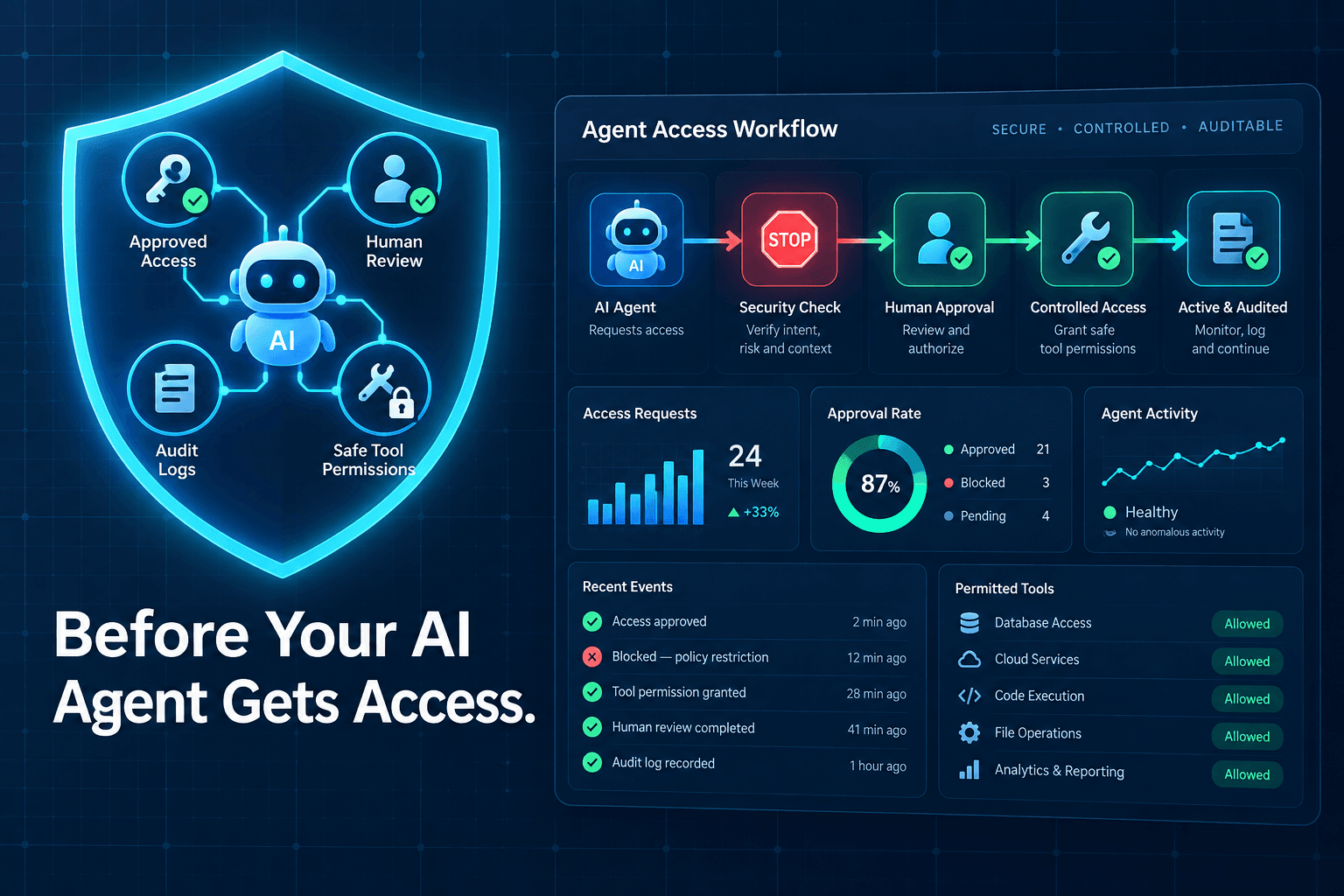
How to Build AI Agent Approval Workflows
How to Build AI Agent Approval Workflows
The hard part of deploying an AI agent usually is not getting it to produce an answer. It is deciding which actions it can take on its own, which need a person’s judgment, and how your team can see what happened afterward.
An agent that drafts a client response can save time. An agent that sends the wrong response, changes the wrong CRM record, or applies an unauthorized discount can create far more work than it removes. That is why learning how to build AI agent approval workflows matters before connecting an agent to the systems that run your business.
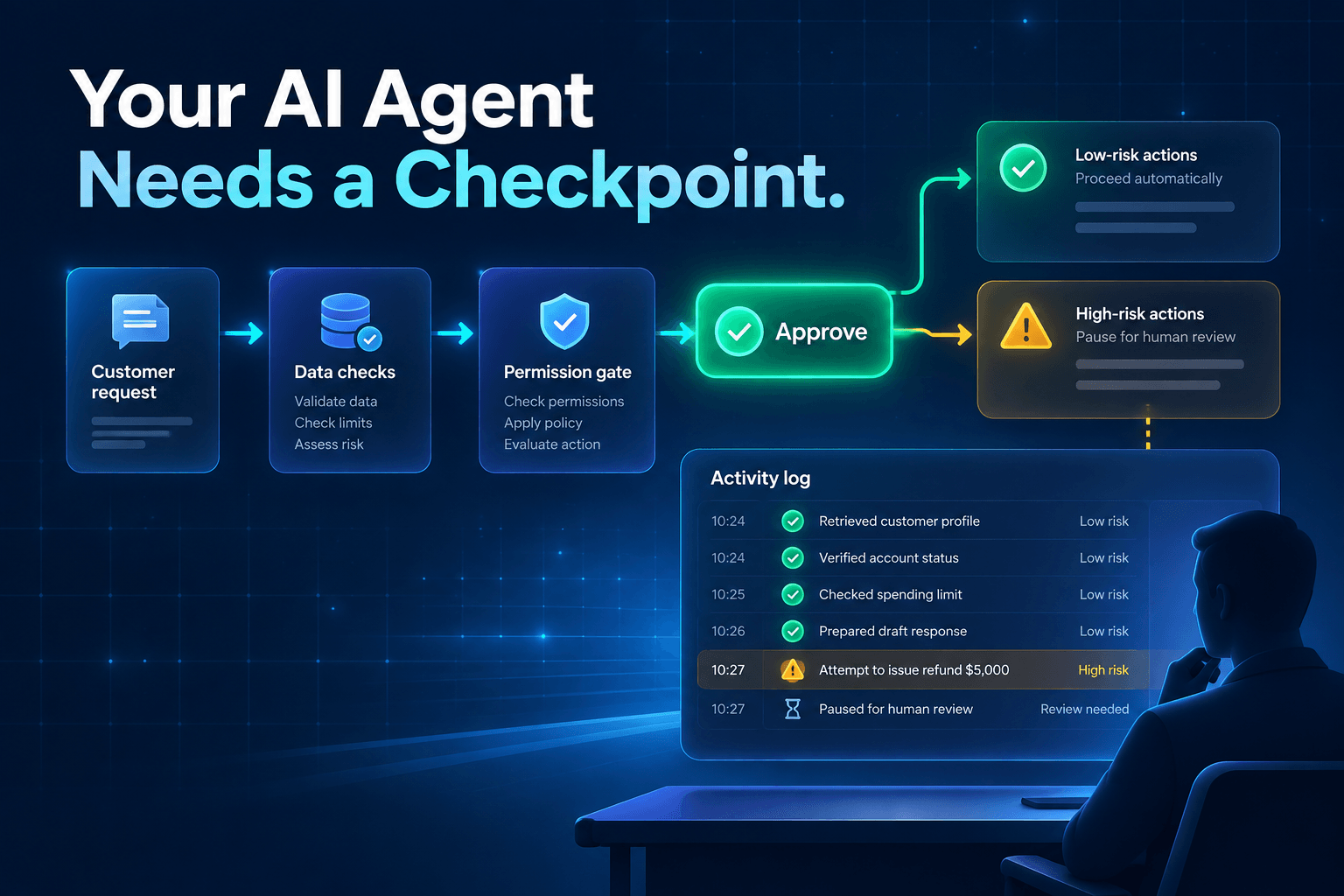
The goal is not to put a person in the loop for every click. It is to give an agent room to handle routine, reversible work while creating clear checkpoints for exceptions and high-impact decisions.
What Is an AI Agent Approval Workflow?
An AI agent approval workflow is a set of rules that determines when an AI agent can act, when it must ask for approval, and what record it must leave behind.
The difference between a chatbot, an automation, and an agent
A chatbot primarily answers questions. A traditional automation follows a fixed sequence: when X happens, do Y.
An AI agent can do more. It can interpret incoming information, use defined tools, choose the next step toward a goal, and take action within the permissions it has been given. For example, it may read a form submission, look up the company in a CRM, score the lead, and prepare the right routing action.
That flexibility is useful, but it also requires boundaries.
What an approval workflow adds
Human-in-the-loop AI automation gives an agent a practical operating model:
- Explicit action boundaries that define what it may and may not do
- Risk-based escalation rules for uncertain or high-impact situations
- A named reviewer who owns the final decision when review is needed
- A record of actions, approvals, and exceptions for accountability and improvement
These AI agent guardrails do not make a workflow less capable. They make it dependable enough to use in real operations.
Why AI Agent Approval Workflows Matter in 2026
Businesses are moving beyond isolated AI experiments. Agents are increasingly connected to inboxes, calendars, CRMs, databases, customer support platforms, and internal knowledge bases. That means they can do more than suggest work—they can move work forward.
But connected access is not the same as permission to act.
The shift is also visible in the tools businesses are evaluating. Agentic automation is becoming less about a standalone assistant and more about orchestration: coordinating tools, defining permissions, tracking decisions, and keeping the process under control. UiPath’s 2026 AI and Agentic Automation Trends Report frames this as an operating-model challenge, not simply a software upgrade.
The best target is not full autonomy. It is appropriate autonomy.
A lead-routing agent may be trusted to assign complete, low-risk inbound requests. It should pause when it sees conflicting information, a strategic account, sensitive data, or a decision that affects revenue. Good AI agent governance creates that distinction before problems occur.
The 5 Parts of a Reliable AI Agent Approval Workflow
1. Give the agent one clearly defined job
Start with a narrow, measurable responsibility. Good first jobs include:
- Qualifying inbound leads
- Drafting client follow-up messages
- Preparing a weekly operations report
- Flagging invoices that do not match purchase orders
- Categorizing support requests for the right queue
“Manage our sales process” is not a job description. It contains too many judgments, systems, and possible actions.
“Score incoming demo requests and route qualified leads based on territory, service need, and company size” is a better scope. It gives the agent a clear outcome, defined inputs, and a limited set of actions.
A narrow job also makes it easier to identify where approval is actually needed.
2. Set permissions by action, not by tool
Giving an agent access to your CRM should not give it permission to do everything in your CRM.
Instead, define autonomous agent permissions by the individual action. An agent may be allowed to read contact history but not delete records. It may be allowed to draft an email but not send one to a new prospect without review.
| Action type | Example | Default approval level |
|---|---|---|
| Read | Review lead notes | No approval |
| Draft | Prepare a follow-up email | No approval before review |
| Update | Add validated lead fields in a CRM | Auto-approve when confidence is high |
| Commit | Send an email or book a meeting | Approval for new or high-impact cases |
| Irreversible | Delete data, issue refunds, change pricing | Human approval always |
This action-level model is safer than treating a software connection as an all-or-nothing decision. It also works well with structured tools that AI agents can use, where a tool can expose only the operations an agent needs.
3. Route exceptions with risk and confidence thresholds
Approvals should not happen randomly. They should trigger when the agent encounters a situation that is uncertain, unusual, or costly to get wrong.
Create escalation rules for conditions such as:
- Confidence is below the defined threshold
- Required information is missing or conflicts with another source
- The request involves sensitive customer or employee data
- The action affects money, contractual terms, customer access, or pricing
- The agent encounters an unfamiliar edge case
- A request matches a protected account, VIP customer, or compliance category
For example, a lead-routing agent can automatically assign a prospect when geography, deal size, and service need are complete and consistent. It should request review when the form lists conflicting budgets, includes an unfamiliar market, or names a strategic account.
The threshold should match the consequence. A small CRM field update may need only high confidence. A pricing exception should require a human decision regardless of confidence.
4. Make approval fast enough to keep work moving
An approval process that takes longer than the task itself becomes another bottleneck. The reviewer should be able to understand the situation and decide quickly.
A strong AI workflow approval process includes:
- One-click approve, edit, or reject options
- A short summary of what the agent found and plans to do
- The source information behind the recommendation
- A clear reason the item was escalated
- Reminders tied to a response-time target
- A fallback rule when nobody responds
For example, a sales manager might receive: “Route this lead to Enterprise West. Confidence: 62%. Escalated because the stated budget conflicts with the company’s CRM history.” That is far more useful than an alert that simply says, “Agent needs help.”
When reviewers can make fast, informed decisions, human oversight becomes part of the workflow—not an interruption to it.
5. Keep an audit trail—and use it
An AI automation audit trail should capture enough detail to explain what the agent did and improve the workflow later.
At a minimum, log:
- Source data used
- The agent’s recommendation
- Tools accessed and actions attempted
- Confidence or validation status
- The human decision, if review occurred
- The final outcome
- Any correction, reversal, or rework
This is not paperwork for its own sake. The log reveals where your process needs work.
If managers repeatedly override the same recommendation, the business rule may be unclear. If the agent often escalates because data is missing, the intake form or CRM process may need improvement. If one action creates most rework, its permissions may be too broad.
That feedback loop turns approval decisions into better prompts, cleaner data mappings, and stronger AI agent governance over time.
Example: A Safer AI Lead Routing Workflow
Consider a service business that receives inquiries through forms, email, and call transcripts.
- A prospect submits an inquiry.
- The AI agent extracts service interest, budget signal, location, urgency, and company size.
- It validates required fields against the CRM and checks for duplicate contacts.
- Complete, low-risk requests are assigned automatically to the right rep or queue.
- Ambiguous, high-value, or incomplete inquiries are sent to a sales manager for approval.
- The final decision is written back to the CRM with the agent’s reasoning and the reviewer’s choice.
The agent is not deciding who deserves attention. It is applying clear routing criteria and escalating the situations where context matters most.
The same pattern can support an AI call routing workflow: allow the agent to identify intent and offer approved appointment slots, but require review before it makes exceptions, shares sensitive information, or confirms a special commercial term.
When an AI Agent Should Never Act Without Approval
Some actions are too difficult to reverse, too sensitive, or too consequential to delegate without a human decision. In most organizations, agents should always request approval before they:
- Sign contracts or accept legal terms
- Approve refunds, discounts, or credits above a defined amount
- Change pricing, payment details, or billing terms
- Delete customer, employee, or financial records
- Share confidential customer information
- Make hiring, firing, lending, medical, or legal decisions
- Send sensitive communications on behalf of an executive
- Grant or remove high-privilege account access
A useful rule is simple: the harder an action is to reverse, the stronger the approval gate should be.
Even a reliable agent should not become a shortcut around accountability.
4 Mistakes That Make AI Approval Workflows Fail
Requiring approval for every tiny action
If every routine update creates an alert, your agent becomes another inbox to manage. Automate proven, low-risk, reversible tasks. Reserve approvals for exceptions and meaningful commitments.
Giving vague instructions instead of structured decision rules
“Route high-quality leads” is too vague. Define what high quality means: geography, minimum company size, buying timeline, budget signal, service fit, or existing-account status.
An agent cannot apply a standard that your team has never agreed on.
Letting agents work from messy or incomplete data
Unreliable inputs create unreliable outcomes. Standardized source fields, validation checks, and clear data ownership are essential. As we explain in structured data makes AI automations more reliable, better inputs make automations more accurate and easier to maintain.
Treating approval as the end of the process
An approval or rejection is feedback. Review it regularly. Look for patterns in edits, overrides, slow responses, and exceptions. Then improve the workflow, business rules, prompts, and data sources.
Start Small, Then Earn More Autonomy
A sensible rollout has three stages:
- Recommend mode: The agent analyzes information and drafts a proposed action, but people make every final change.
- Approval mode: The agent handles low-risk actions automatically and sends exceptions for review.
- Limited autonomy: The agent takes proven, reversible actions within strict rules, monitoring, and escalation paths.
Do not rush through these stages. Let the agent earn broader permissions through consistent performance and a clear audit trail.
A strong workflow is not one that removes people from every decision. It is one that brings people in only when their judgment adds real value.
Build an AI Approval System Your Team Can Trust
AI agents can eliminate repetitive work without becoming unchecked actors in your business. Start with one narrow workflow, define permissions action by action, set risk-based escalation rules, and review the audit trail often.
AI-Automated helps teams map repetitive work, define safe agent permissions, and build AI workflows with useful approval checkpoints. Request an AI automation audit to identify the first workflow worth automating.
If your team is still sorting inbound requests manually, start with your lead-routing process—and give the agent a clear checkpoint before it takes action.