AI Agent Security Checklist for Business Automation
AI Agent Security Checklist for Business Automation
AI agents can do far more than answer questions. They can read incoming requests, update CRM records, summarize documents, route work, call connected tools, and prepare customer communications.
That creates real leverage, but it also raises the stakes.
A chatbot that drafts an internal note has a small blast radius. An agent that can reach customer records, email, payment tools, and other business systems can cause costly mistakes if its job is unclear or its permissions are too broad. This AI agent security checklist for business automation helps you set the right boundaries before an agent starts taking action.
The goal is not to avoid automation. It is to build secure AI agent workflows that are useful, observable, and easy for people to control.
Why AI Agent Security Is a Business Priority
AI is moving beyond one-off prompts and into longer, multi-step work. Agents can research, extract information, coordinate between systems, and recommend or carry out operational actions. As OpenAI notes in its overview of how agents are transforming work, the value comes from handling work across tools and stages—not simply generating a single response.
That shift changes the security question.
When an agent can use multiple systems, it needs clear decision rights. What information may it read? Which tools may it call? What can it change? When must it stop and ask a person?
The threat landscape is changing, too. Google's Threat Intelligence Group has documented the evolution from prompting to more autonomous adversarial AI activity, including risks involving credentials, connected environments, AI tools, and software dependencies.
This is not a reason to keep agents out of the business. It is a reason to make security part of workflow design from the first version.
The AI Agent Security Checklist
Use this checklist before connecting an AI agent to production systems.
1. Give every agent one defined job
Write the agent's role in one sentence.
Good examples:
- "Qualify inbound leads using approved criteria."
- "Prepare a draft weekly operations report."
- "Categorize support tickets and recommend the correct queue."
Avoid vague assignments such as "run customer support" or "manage marketing." Broad jobs invite broad access, inconsistent decisions, and unclear accountability.
Treat the agent like a role on your team. The strongest AI agents as digital employees have a focused responsibility, limited access, and a measurable outcome.
Before deployment, answer three questions:
- What triggers this agent?
- What outcome is it responsible for?
- What is explicitly outside its role?
If the team cannot answer those questions clearly, the agent is not ready for more tools.
2. Use least-privilege access
Least privilege means giving an agent only the data, systems, and actions it needs to complete its specific job.
Start with read-only access whenever possible. If an agent only needs to review data and make a recommendation, do not give it permission to update records. If it needs to create CRM tasks, do not also give it access to billing, deletion rights, or global administrator controls.
For example, a lead-routing agent may need to:
- Read new form submissions
- View relevant CRM fields
- Create a follow-up task
- Recommend an owner
It does not need access to invoices, payment methods, every customer record, or the ability to delete contacts.
Use separate credentials for separate workflows. Segment access by client, team, workspace, or system where practical. Keep API keys and secrets in secure credential storage—not in prompts, spreadsheets, or unprotected workflow fields.
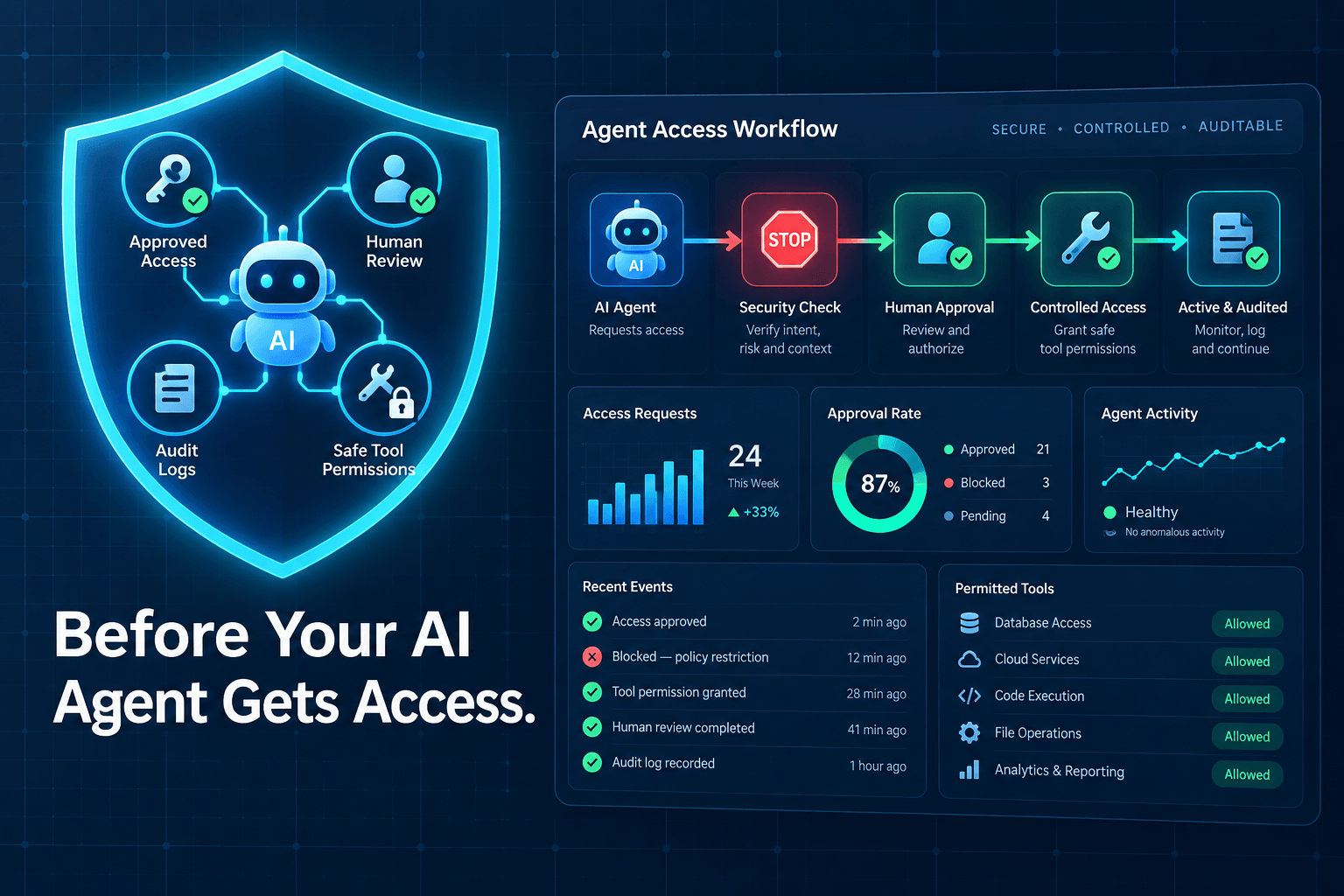
3. Put human approval in front of high-impact actions
Not every action deserves the same level of oversight.
Agents can often work independently on low-risk, reversible tasks. But human approval workflows should sit in front of actions that could cost money, expose sensitive data, harm a customer relationship, or create a legal obligation.
Common approval-required actions include:
- Sending external emails or messages
- Changing contracts or account terms
- Issuing refunds or moving money
- Exporting sensitive data
- Deleting records
- Making compliance-related decisions
- Publishing public-facing content
Design the workflow so the agent can prepare rather than automatically send, and recommend rather than automatically execute.
A useful rule: If a mistake could cost money, expose sensitive data, damage a customer relationship, or create a legal obligation, require human approval.
Approval does not have to create a bottleneck. A simple queue, Slack notification, CRM review field, or threshold rule can keep the process fast while preserving human control.
4. Keep instructions, source data, and tool permissions separate
An agent should not be able to treat every piece of incoming text as an instruction.
For example, an email, support ticket, uploaded document, or web page may contain text that tries to redirect the agent's behavior. That content is data to process—not a replacement for the workflow's governing rules.
Keep these layers distinct:
- Instructions: The documented business rules, role definition, and escalation criteria.
- Source data: The lead record, customer message, form submission, or document being processed.
- Tool permissions: The specific actions the agent is allowed to take.
Structured data makes this separation much easier. When important information lives in clear fields—such as lead source, customer tier, account owner, or approval status—the agent has less room to guess. Learn more about why structured data powers better AI automations.
Where possible, version-control your business rules and document who can change them. That makes reviews, troubleshooting, and future improvements much simpler.
5. Validate every external tool and MCP connection
Tools and connectors determine what an AI agent can do in the real world. Treat them with the same care you would apply to any software vendor or integration.
Before connecting a tool or Model Context Protocol (MCP) server, check:
- Who owns and maintains it?
- Is its documentation clear and current?
- What permissions does it request?
- Does it support logging and access review?
- Can you restrict it to the actions the workflow actually needs?
- How will you remove or rotate access if needed?
Use trusted sources, review requested scopes closely, and remove unused connections promptly. Pin versions when your environment supports it, particularly for dependencies that can change behavior over time.
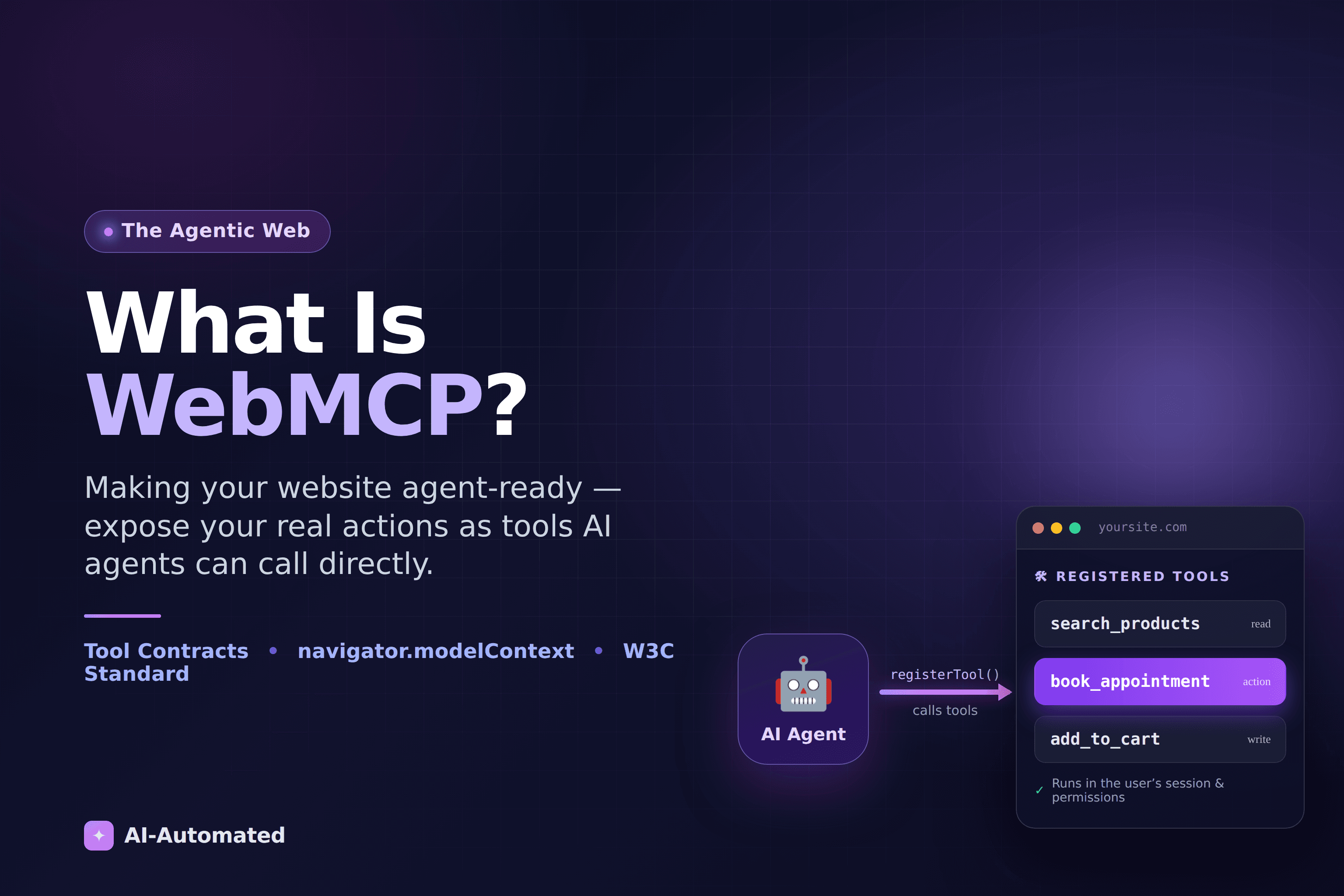
MCP can make integrations more useful, but it should not become a shortcut around normal security review. If you are preparing your own web experience for agents, see how to make your website agent-ready with WebMCP.
6. Log actions and make them easy to review
A useful automation can explain what happened.
For every meaningful run, keep AI agent monitoring and audit logs that record:
- The workflow trigger
- The source data used
- Tools and systems called
- Important decision points
- The output or recommendation
- Approval decisions
- Final actions taken
- Errors and exceptions
Logs are not just for security incidents. They help your team troubleshoot failures, improve prompts and rules, answer customer questions, and spot patterns before they become larger problems.
For a new deployment, schedule a weekly review. Look for incorrect routing, unexpected retries, unusual tool use, repeat approval rejections, and actions that were harder to understand than expected.
7. Test edge cases before going live
Do not test an agent only with clean, ideal examples.
Run it through the situations that cause real operational problems:
- Missing or incomplete records
- Duplicate leads
- Conflicting instructions
- Ambiguous customer requests
- Permission failures
- API timeouts
- Unexpected data formats
- Failed tool calls
- Requests containing prompt-injection-style instructions
For agents that read email, documents, websites, or tickets, test whether untrusted content can influence tool use or override business rules. The right response is usually to ignore the attempted instruction, preserve the original task, and escalate when necessary.
A secure agent should fail safely. It should clearly explain what it could not do, avoid repeated risky retries, and route the exception to the right person.
A Simple Approval Model for Business AI Agents
Good AI automation governance does not need to be complicated. Start by sorting actions into three levels.
Green-light actions
These are low-risk, reversible, and usually internal:
- Drafting internal summaries
- Categorizing data
- Creating CRM tasks
- Recommending routing decisions
- Preparing reports
- Flagging missing information
Review-required actions
These actions have a meaningful customer, operational, or reputational impact:
- Customer-facing emails and messages
- Lead-owner changes
- Updates to important records
- Publishing content
- Actions based on low-confidence or incomplete information
- Escalations that change service levels
Human-only actions
Keep these decisions with accountable people:
- Financial transfers and refunds
- Deleting business records
- Signing agreements
- Hiring, termination, or performance decisions
- Legal, medical, or financial decisions on a customer's behalf
The point is not bureaucracy. It is a fast, visible system for deciding what an agent can do alone and where people stay responsible.
Example: Securing an AI Lead-Routing Agent
Consider an agent that helps your sales team respond faster to inbound leads.
- A form submission enters the CRM.
- The agent extracts structured fields from the record.
- It scores the lead using documented criteria.
- It recommends a sales owner and next step.
- Low-confidence, conflicting, or high-value leads move to a human review queue.
- The workflow logs the recommendation, approval decision, and final handoff.
This setup keeps routine work fast without asking the agent to make every judgment call. The agent can create a task or draft an internal handoff note automatically, while a sales leader reviews higher-risk decisions.
For more practical workflow design ideas, read our lead routing system guide for faster response.
Start Small, Then Expand Access Carefully
Start with one workflow, one system of record, one measurable outcome, and limited permissions.
Track whether the agent improves speed, accuracy, consistency, or team capacity. Review its logs. Measure exceptions. Adjust approval thresholds. Only then consider giving it access to another tool, data source, or action.
More autonomy is not automatically better business automation. The best systems earn additional access by proving they can perform a narrow job reliably and safely.
A strong AI agent security checklist for business automation gives your team a practical way to grow from a controlled pilot to dependable operational support.
Need a second set of eyes before giving an AI agent access to your business systems? AI-Automated can map the workflow, define approval points, and build a controlled automation plan around the work that matters.
FAQ
Is it safe to give an AI agent access to a CRM?
It can be, if its access matches a narrow role. Limit permissions, use approval rules for important updates, log activity, and test the workflow before expanding it across the business.
What is least-privilege access for AI agents?
Least privilege means an agent receives only the systems, data, and actions needed to complete its assigned task. It should not receive broad administrator access simply because that is easier to configure.
Should AI agents be allowed to send emails automatically?
It depends on the message and the risk. Internal notices and low-risk, templated updates may be good candidates for automation. Sales, support, financial, legal, or sensitive customer messages should usually use review rules.
What should businesses log when using AI agents?
Log the trigger, source data, tools called, key decision criteria, approvals, final actions, errors, and the person responsible for handling exceptions.
How can a small business start using AI agents securely?
Choose one repetitive workflow, such as lead classification, appointment reminders, or internal reporting. Give the agent a defined role, limited access, clear human-review thresholds, and a simple scorecard for measuring results.