How to Build a Human-in-the-Loop AI Agent Workflow
How to Build a Human-in-the-Loop AI Agent Workflow
An AI agent can draft a customer reply, qualify a lead, update a CRM record, or reschedule an appointment in seconds. That speed is useful—until a small mistake becomes a lost deal, an accidental promise, an unhappy customer, or a decision nobody can explain later.
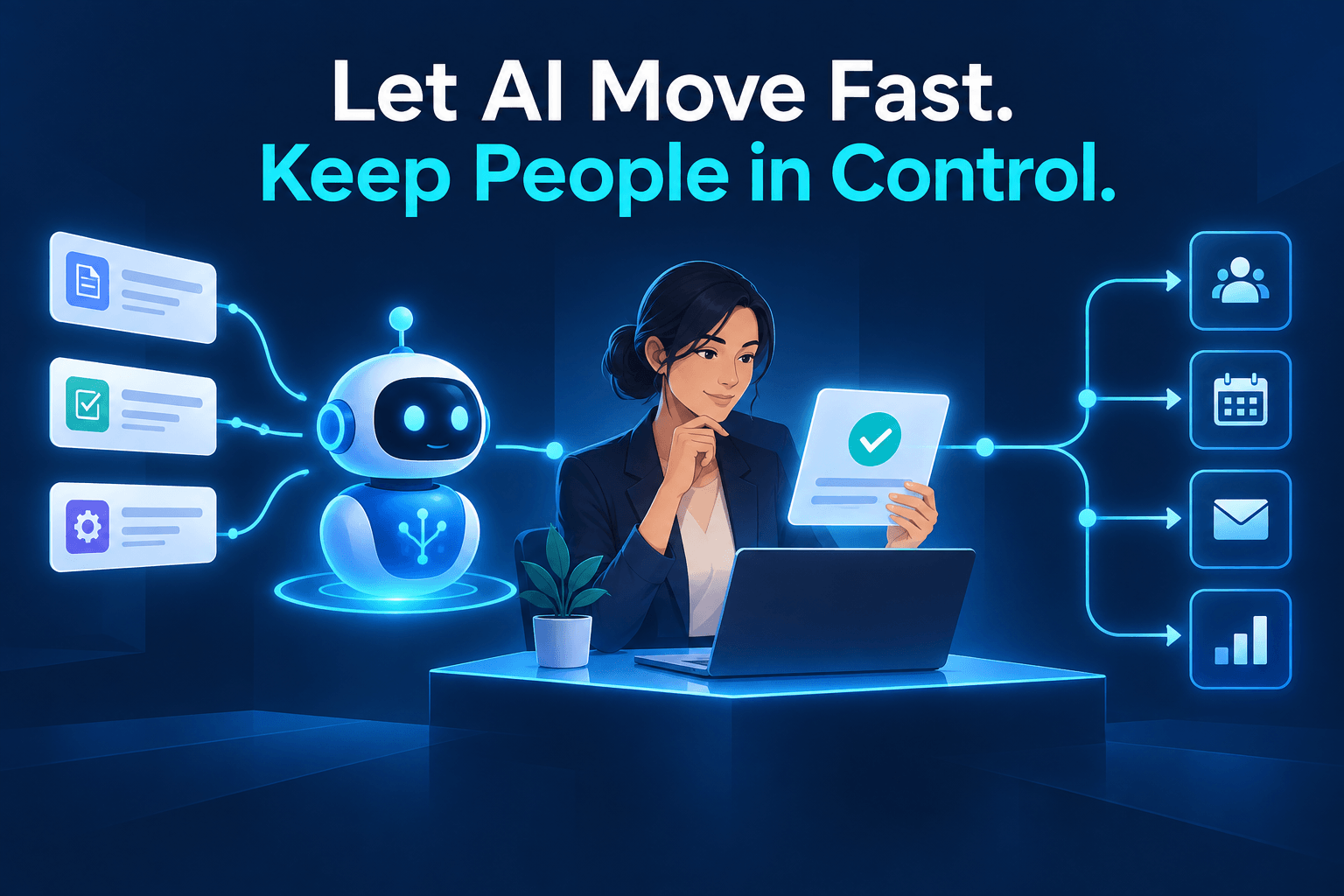
That is why it is important to know how to build a human-in-the-loop AI agent workflow. The goal is not to have someone review every task. It is to let the agent handle routine execution while people retain ownership of judgment, exceptions, and high-impact decisions.
An agent does not need permission to handle everything. It needs a clear job, safe operating boundaries, and a reliable way to bring in a person when the decision matters.
This guide explains how to choose the right workflow, set approval thresholds, write escalation rules, measure quality, and improve the system over time.
What Is a Human-in-the-Loop AI Agent Workflow?
Human-in-the-loop AI automation is a workflow in which an AI agent completes defined tasks independently, but pauses for approval or escalates when it reaches a meaningful decision or an exception.
The human is not there to double-check every automated action. They are there for the cases where context, accountability, or judgment matter most.
For example, consider lead intake for a service business:
- A prospect submits a form or leaves a voicemail.
- The agent extracts contact information, service needs, location, and urgency.
- It creates or updates the CRM record and routes routine inquiries.
- It flags requests that are high-value, unclear, sensitive, or outside the normal service area.
- A sales manager approves, edits, or rejects the recommended next step.
In that model, the agent handles repetitive work quickly. The manager spends time only where their expertise can change the outcome.
That is the practical promise of human-in-the-loop workflows: not less human involvement, but better-placed human involvement.
Why Human Oversight Is a Major AI Automation Trend
Businesses are moving beyond isolated prompts and one-off chat tools. The next step is connecting AI agents to operational work: intake, research, routing, documentation, follow-up, approvals, and reporting.
That shift is reflected in Google Cloud's AI agent trends research, which describes the move toward more complex, end-to-end workflow orchestration. The question is no longer simply, “Can AI do this task?” It is, “What should AI do independently, and when should it ask for help?”
The answer depends on the risk of the action, the quality of the data, and the cost of getting it wrong.
Microsoft's Work Trend Index similarly emphasizes human agency, critical thinking, and quality control as AI becomes more embedded in work. Anthropic's State of AI Agents report highlights a related challenge: moving from single-step tasks to multi-stage workflows without losing control.
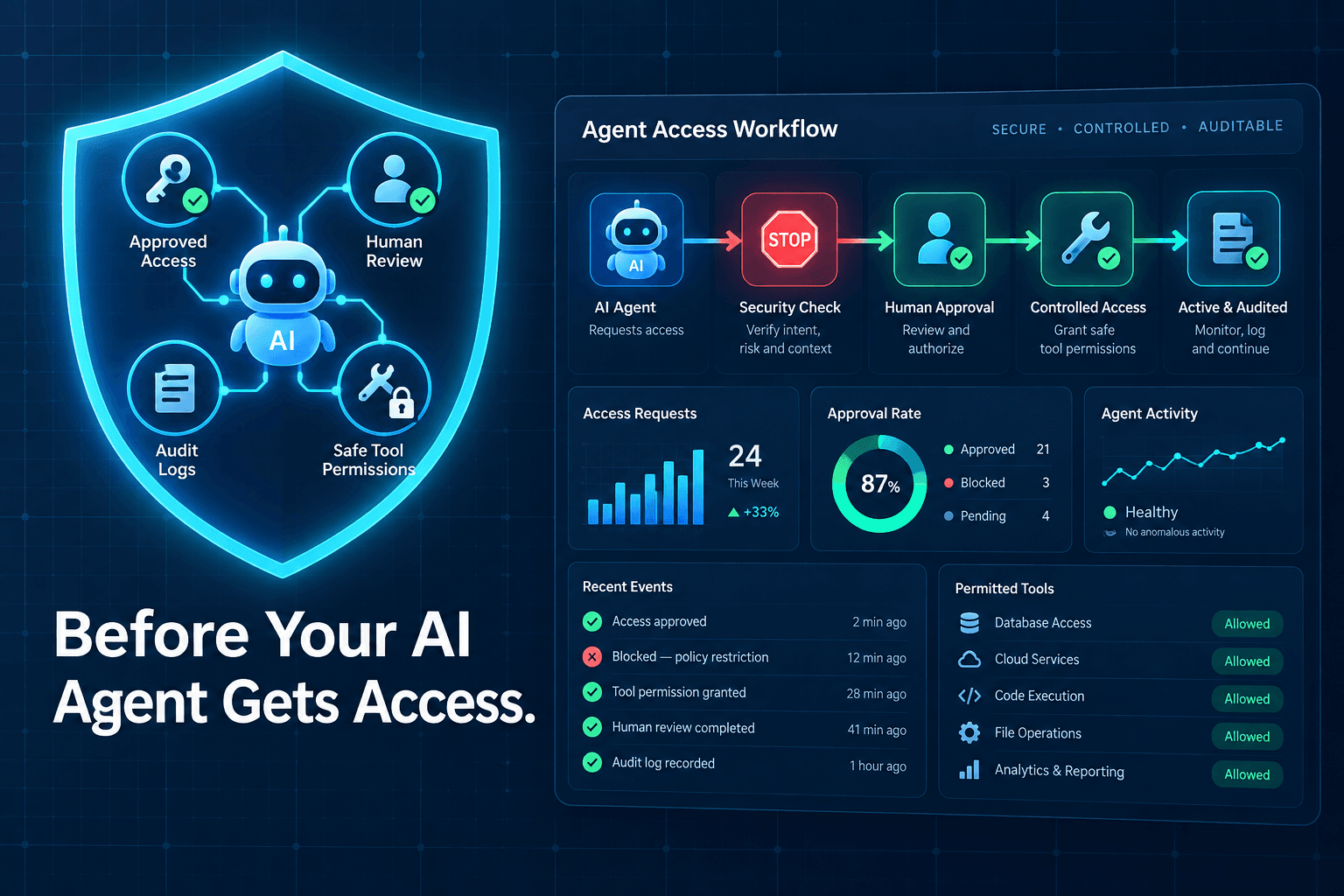
The most useful AI agent guardrails for business are not vague warnings. They are clear operational rules:
- What the agent is allowed to do
- What information it can access
- Which situations require approval
- Who owns the final decision
- How the team learns from mistakes
Choose the Right Workflow Before You Choose the AI Agent
A good AI workflow starts with a good business process. If the current process is undocumented, inconsistent, or dependent on tribal knowledge, adding an agent will not fix it. It may simply make the confusion happen faster.
Start with repeatable, rules-based work
Your best first workflow usually has:
- Clear inputs, such as a form submission, support email, or meeting transcript
- A predictable output, such as a CRM record, task, draft, or routing decision
- Frequent repetition
- Existing examples or documentation
- Low consequences if the first version needs correction
Common starting points include lead qualification, appointment confirmations, inbox triage, CRM cleanup, internal reporting, and support-ticket categorization.
Reliable inputs matter just as much as capable models. Before expanding an agent's authority, use structured data to make AI automations more reliable. Consistent fields, defined categories, and required information give the workflow a stronger foundation.
Avoid fully automating high-risk decisions first
Early deployments should keep a person involved in decisions involving:
- Pricing exceptions or custom quotes
- Contract terms
- Hiring or performance decisions
- Financial approvals
- Medical, legal, or compliance-sensitive communication
- Refunds, cancellations, and serious customer complaints
- Public-facing messages that could affect your reputation
This does not mean these areas cannot benefit from AI. An agent can still gather information, identify policy language, draft a response, or prepare a recommendation. It simply should not make the final commitment alone.
Use a workflow inventory
Before you automate, build a simple five-column worksheet:
| Trigger | Agent action | Allowed data and systems | Escalation condition | Human owner |
|---|---|---|---|---|
| New website inquiry | Create CRM record and tag service interest | Website form, CRM | Missing contact details or custom pricing request | Sales manager |
| Support email | Categorize and draft response | Shared inbox, help desk | Refund, cancellation, legal, or complaint language | Support lead |
| Appointment request | Offer available time slots | Calendar and scheduling system | VIP client, unusual request, or no matching availability | Operations coordinator |
This forces you to define the decisions before the agent encounters them live.
Set the Four Boundaries Every AI Agent Needs
A dependable AI agent approval workflow is built on four boundaries. If any one is unclear, the agent will eventually face a situation it cannot handle safely.
1. Define the agent's job
Give the agent one narrow, measurable responsibility.
For example:
Turn inbound service inquiries into complete CRM records and route qualified leads within five minutes.
That is much more useful than telling an agent to “manage leads.” A defined role makes it easier to write instructions, set permissions, review performance, and identify when the workflow needs adjustment.
The best mindset is to treat AI agents like digital employees: give them a job description, limited access, clear standards, and a scorecard.
2. Define what the agent can access
Specify the data sources, systems, and actions the agent needs to perform its assigned work.
Use least-privilege access. If the agent only needs to read a lead form and create a CRM task, it should not also have permission to delete records, issue refunds, change pricing, or access unrelated customer data.
Start with the smallest useful permission set. Expand it only after the workflow has proven reliable.
3. Define when the agent must stop and escalate
“Ask for help if you are unsure” is not an escalation rule. It leaves too much up to interpretation.
Write concrete triggers instead. Escalate when:
- Confidence falls below a defined threshold
- Required information is missing
- Customer data conflicts across systems
- The request is new or unsupported
- The opportunity exceeds a value threshold
- The customer message is sensitive or emotionally charged
- The action creates a financial, legal, or reputational commitment
The more specific the trigger, the more predictable the workflow becomes.
4. Define who owns the decision
Do not assign work to “a human reviewer.” Name a role, person, or team.
Also establish:
- A target review time, such as “within 30 minutes during business hours”
- A backup owner for urgent cases
- A channel for alerts, such as a CRM task, Slack notification, help-desk assignment, or email
- A record of the final decision and why it was made
An escalation without an owner is simply a stalled workflow.
Build an AI Agent Approval Workflow Step by Step
Step 1: Map the current manual process
Document what happens today before you automate anything.
Capture the trigger, systems used, handoffs, decision points, and exceptions. Pay close attention to places where experienced staff pause and think. Those moments often reveal where a human approval is needed.
For instance, a service coordinator may usually schedule an estimate automatically—but stop when a prospect requests a same-day appointment, mentions insurance, or asks for a price guarantee. Those are not edge cases to ignore. They are rules to design around.
Step 2: Separate actions into three lanes
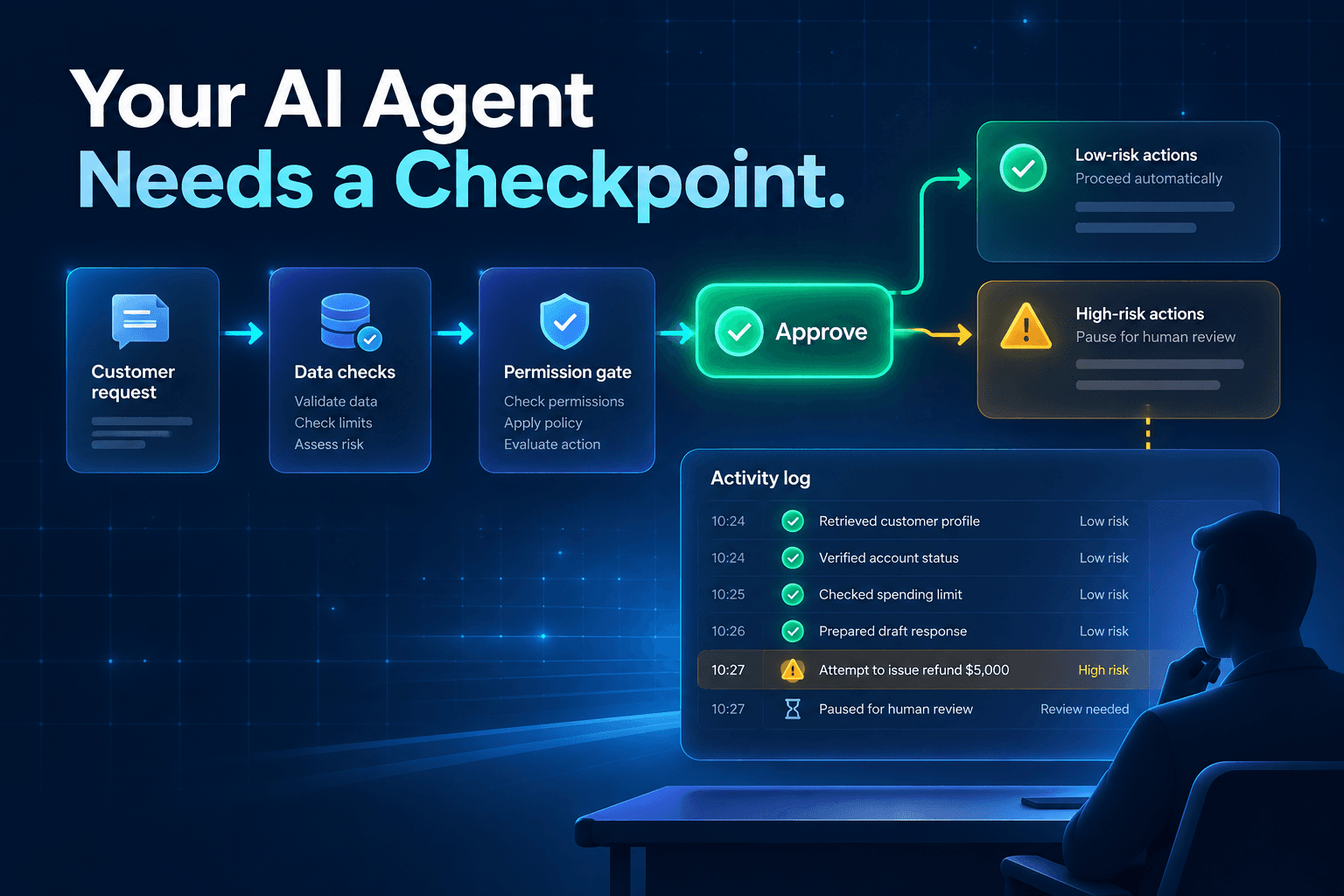
Use a green, yellow, and red model to make authority easy to understand.
| Lane | Agent behavior | Example |
|---|---|---|
| Green | Complete automatically | Tag a lead, create a task, send a standard confirmation |
| Yellow | Draft or recommend, then wait | Draft a custom response, recommend lead priority |
| Red | Escalate immediately | Approve a refund, alter contract terms, handle a complaint |
The green lane delivers efficiency. The yellow lane lets the team keep control while reducing drafting and research time. The red lane protects customers and the business when the stakes are high.
Step 3: Write escalation rules in plain language
Good rules describe the trigger and the exact next action.
Examples:
- “If a lead requests a custom enterprise quote, create an opportunity and notify sales. Do not send pricing.”
- “If the agent cannot identify the requested service with high confidence, ask one clarifying question. If the answer is still unclear, route the inquiry to intake.”
- “If a customer uses cancellation, complaint, legal, refund, or chargeback language, pause automation and create an urgent support ticket.”
- “If the message includes a request to change an existing contract, draft a summary for review but do not promise terms or dates.”
Plain language is easier to test, maintain, and improve than abstract policies.
Step 4: Test against historical examples
Before connecting live systems, run historical records through the workflow.
Look for:
- False positives: cases escalated unnecessarily
- False negatives: cases that should have escalated but did not
- Missing fields or unreliable source data
- Unclear instructions
- Slow or inconsistent reviewer responses
This is also a good time to review the edge cases your team has seen in the past. A workflow becomes more useful when it is informed by real operational experience, not just ideal examples.
Step 5: Launch with limited permissions
Start with drafts, recommendations, internal notifications, or low-risk actions. Watch the results, then expand authority when the agent consistently meets your quality standard.
A gradual rollout is a safer way to learn what the agent handles well and where it needs stronger instructions, better data, or a human checkpoint.
Measure Whether the Workflow Is Actually Helping
A workflow is not successful because it looks impressive in a demo. It is successful when it improves a business outcome without creating hidden rework or risk.
Track metrics such as:
- Percentage of work completed without human intervention
- Escalation rate
- Approval rate
- Correction rate
- Average handling time
- Lead response time
- Customer satisfaction or conversion impact
- Workflow exceptions by category
Do not assume a low escalation rate is automatically good. If the agent rarely escalates, it may be taking actions it should not. If it escalates nearly everything, the instructions, confidence thresholds, or source data may need work.
Review these numbers regularly with the people who use the workflow. Sales, support, and operations teams often spot patterns long before they appear in a dashboard.
Common Human-in-the-Loop AI Automation Mistakes
The most common mistake is reviewing every output. That removes much of the time-saving benefit and turns the agent into another layer of work.
Other pitfalls include:
- Using vague escalation language. “Ask for help if unsure” is not enough.
- Giving broad access too early. Prove the workflow before allowing high-impact actions.
- Leaving ownership unclear. Every escalated task needs a named decision-maker.
- Ignoring frontline feedback. The people handling exceptions know where the workflow breaks.
- Treating launch as the finish line. Agents need ongoing review, updated examples, and refined rules.
- Adding agents before the process is ready. If several agents interact, make sure you avoid common multi-agent workflow mistakes, such as unclear handoffs and overlapping responsibilities.
Human oversight should be intentional, not improvised. A well-designed review point protects the business without slowing routine work.
Start With One Controlled AI Agent Workflow
The best way to learn how to build a human-in-the-loop AI agent workflow is to begin with one process that is frequent, structured, measurable, and low-risk.
Choose a workflow where the agent can save time immediately but where a person can still catch the exceptions that matter. Lead intake, inbox routing, appointment follow-up, and CRM enrichment are practical starting points.
The payoff is simple: AI handles routine execution at speed, while your team keeps ownership of judgment, customer relationships, and consequential decisions.
Want to identify the safest high-impact workflow to automate first? Request an AI automation workflow audit from AI-Automated.
Before assigning your first agent a production role, read our guide on how to treat AI agents like digital employees.
Frequently Asked Questions
What does human-in-the-loop mean in AI automation?
A human-in-the-loop workflow allows an AI agent to handle routine work while requiring a person to review exceptions, sensitive decisions, or actions that exceed defined limits. The goal is not to approve every action. It is to place human judgment where it has the greatest value.
When should an AI agent escalate a task to a person?
An agent should escalate when information is incomplete, confidence is low, a request falls outside its instructions, or the action could affect money, contracts, customer trust, legal obligations, compliance, or safety. Escalation rules should be specific and tied to a named owner.
Can small businesses use human-in-the-loop AI workflows?
Yes. Small businesses can start with high-volume workflows such as lead intake, appointment follow-up, inbox triage, CRM updates, support-ticket routing, and internal reporting. Begin with limited permissions and expand only after the workflow proves reliable.
Does human oversight make AI automation less efficient?
Not when it is designed well. The purpose is to automate routine work and reserve human attention for the smaller share of cases where context and judgment matter. Reviewing only exceptions is usually much more efficient than manually handling every request.
What is the best first AI agent workflow to build?
A strong first workflow is repetitive, clearly documented, low-risk, and easy to measure. Lead qualification, CRM data cleanup, appointment confirmations, support-ticket triage, and internal task routing are common starting points.