AI Agent Audit Trail Checklist for Small Businesses
AI Agent Audit Trail Checklist for Small Businesses
An AI agent qualifies a new lead, updates a CRM field, sends a follow-up, or proposes an appointment. The workflow may look great—until someone asks a basic question:
Why did it do that?
If answering that question means searching through inboxes, automation dashboards, CRM activity, and chat messages, the workflow is not ready for meaningful autonomy.
This AI agent audit trail checklist for small businesses gives you a practical way to record what an agent did, the information it used, who approved it, and what happened next. It is not enterprise red tape. It is how a small team makes automation easier to trust, fix, and improve.
The goal is simple: when an agent takes an important action, your team should be able to explain it quickly.
What Is an AI Agent Audit Trail?
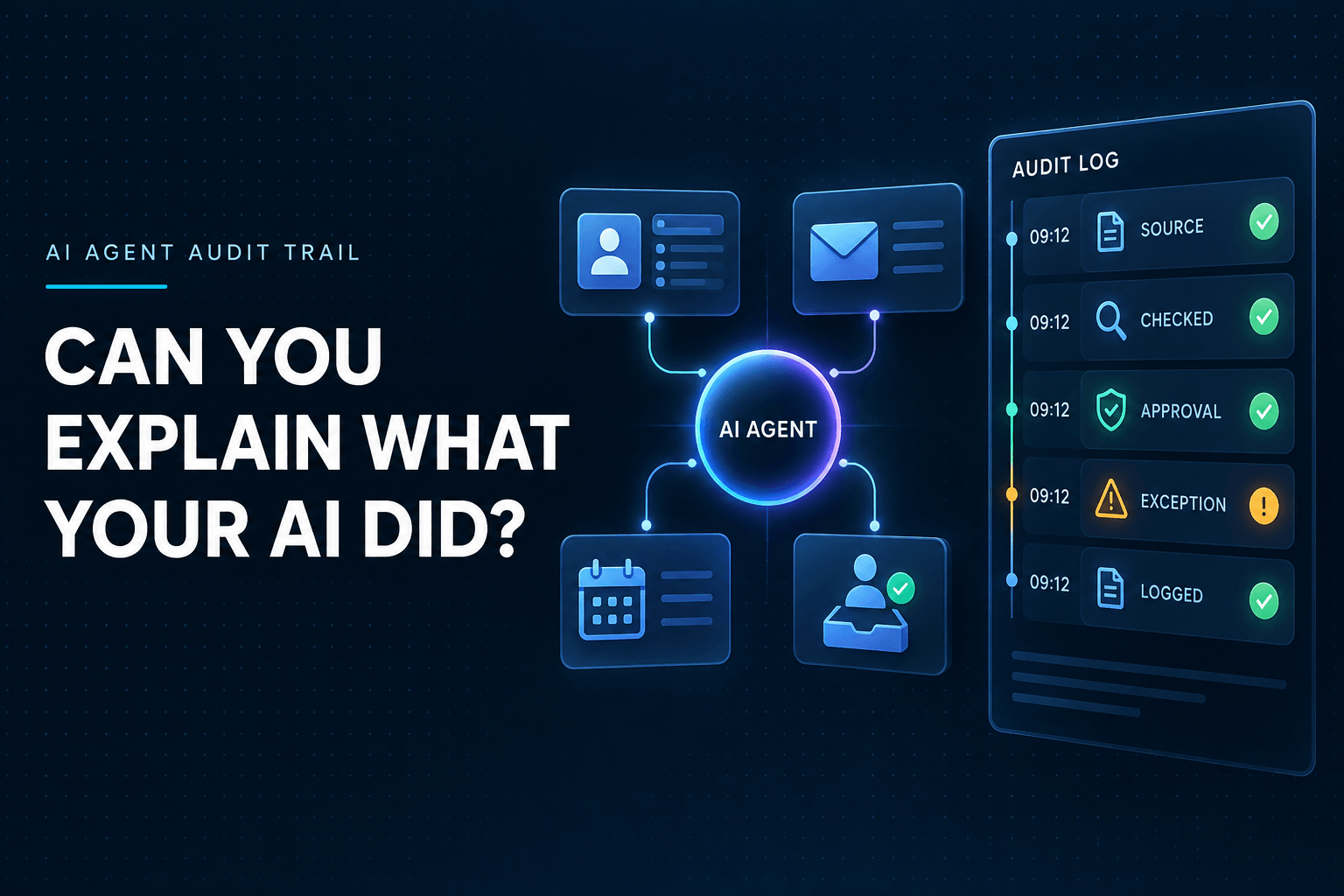
An AI agent audit trail is a usable record of an agent's work. It connects an action to the context behind it.
For each meaningful task, the record should answer questions like:
- What triggered the agent?
- What information did it access?
- What tools did it use?
- What action did it take?
- Did a person approve or override the action?
- What was the final result?
A record of actions, context, and accountability
A raw activity log might say, “CRM record updated at 10:14 a.m.” That is useful, but incomplete.
A true audit trail tells the fuller story: a website form triggered the workflow, the lead was located in the company service area, the agent applied the documented routing policy, and it assigned the record to the right sales rep.
That context makes the record useful for operations, customer service, troubleshooting, and management review.
Why AI agents need more than basic automation logs
Traditional automations follow a fixed set of rules: if this happens, do that.
AI agents can work more flexibly. They may interpret a message, retrieve information, select a tool, draft content, and recommend or take an action. That flexibility can create real value, but it also creates more decisions to understand.
An agentic AI audit trail helps your business keep that flexibility visible. This matters most when agents can access customer records, calendars, inboxes, financial systems, or other systems that affect people directly.
Why This Matters More in Late 2026
AI agents are moving from experiments into real business workflows. That shifts the conversation from “Can this agent do the task?” to “Can we monitor, review, and correct what it does?”
In February 2026, NIST announced its AI Agent Standards Initiative, with attention on secure, interoperable agent systems and issues such as identity and security. NIST is also exploring evaluation probes for agentic AI, including factual grounding, citations, and traceability within an agent workflow.
For a small business, the takeaway is practical. A useful agent should be:
- Observable: You can see what it did.
- Reviewable: A person can inspect the context and decision.
- Reversible: Your team can correct a mistake without creating a larger problem.
This is AI agent monitoring in its most useful form. It is not about watching every click. It is about having answers when an outcome matters.
Your AI automation governance for a small business should also be proportional. An agent that tags leads in a CRM needs fewer controls than one that sends customer-facing messages, changes account ownership, or touches financial data.
The AI Agent Audit Trail Checklist
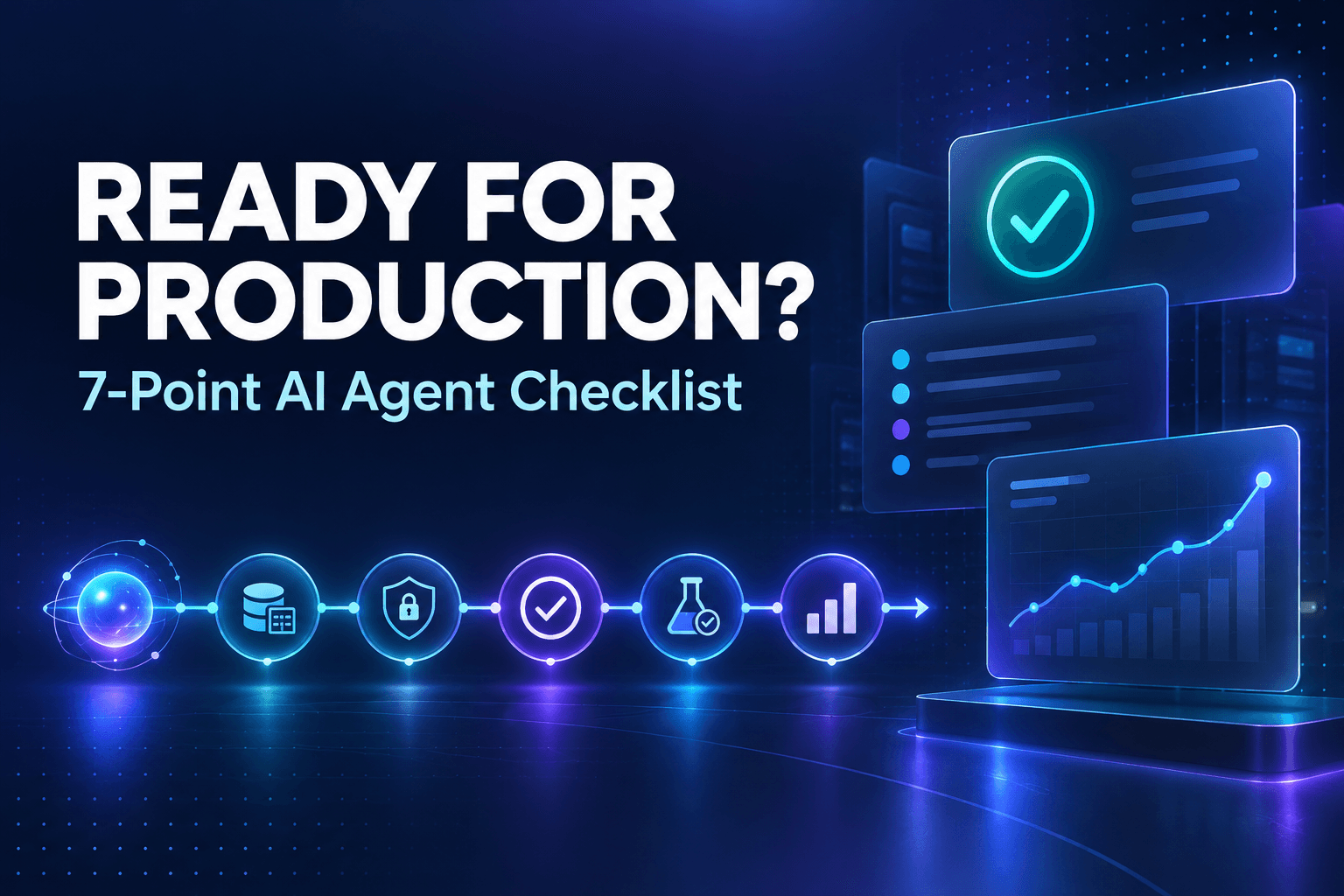
Use this AI agent audit trail checklist for small businesses before you give an agent access to important systems or let it take actions without a person reviewing each one.
1. Give every agent one clear job
Start with a one-sentence job description.
For example:
Qualify new website leads and create a CRM record when the prospect meets our service-area and budget criteria.
A narrow job makes the agent easier to train, measure, and audit. It also helps your team spot scope creep before it creates a problem.
Think of the agent as a new team member with a defined role, not as a vague “AI assistant.” If you want a helpful framework for setting those boundaries, treat AI agents like digital employees. Every digital employee needs a job description, permissions, and success metrics.
2. Record the trigger and the input source
First, document what starts the workflow. Common triggers include:
- A website form submission
- An inbound email or phone call
- A new support ticket
- A scheduled task
- A request from an employee
- A change in a CRM record
Then identify the source of truth and the fields the agent can access. For a lead-routing agent, that might include the original inquiry, service requested, location, budget, and urgency.
This matters because the quality of an agent's decision depends on the quality of its inputs. Clean, consistent fields make it easier to understand why a result occurred. In fact, structured data makes AI automations more reliable because the agent has less ambiguity to interpret.
3. List each allowed action and connected tool
Make an approved-action list for the agent. Be specific.
For example, a lead-routing agent may be allowed to:
- Create a CRM record
- Apply a lead tag
- Assign an owner using a documented routing rule
- Notify the assigned rep
- Create a draft follow-up message
It may not be allowed to:
- Send discounts
- Delete records
- Change account ownership
- Cancel appointments
- Edit payment details
Separate what an agent can recommend from what it can execute. An agent can often suggest a next step safely before it earns permission to take that step automatically.
If your website exposes actions or information for agents to use, you should also make your website agent-ready with WebMCP in a controlled, structured way.
4. Keep evidence with the decision
When an agent makes a consequential decision, keep the evidence that informed it.
For lead routing, the record might include:
- The original inquiry
- Extracted service, location, budget, and urgency fields
- The lead score or qualification criteria
- The routing policy applied
- Any source links used for a research-based decision
This does not require storing every internal thought or every token of a model interaction. It does mean preserving enough business context for a reviewer to understand the result.
For research, reporting, or recommendation agents, source links and citations are especially valuable. They give a person a fast way to verify the output rather than starting an investigation from scratch.
5. Define approval thresholds
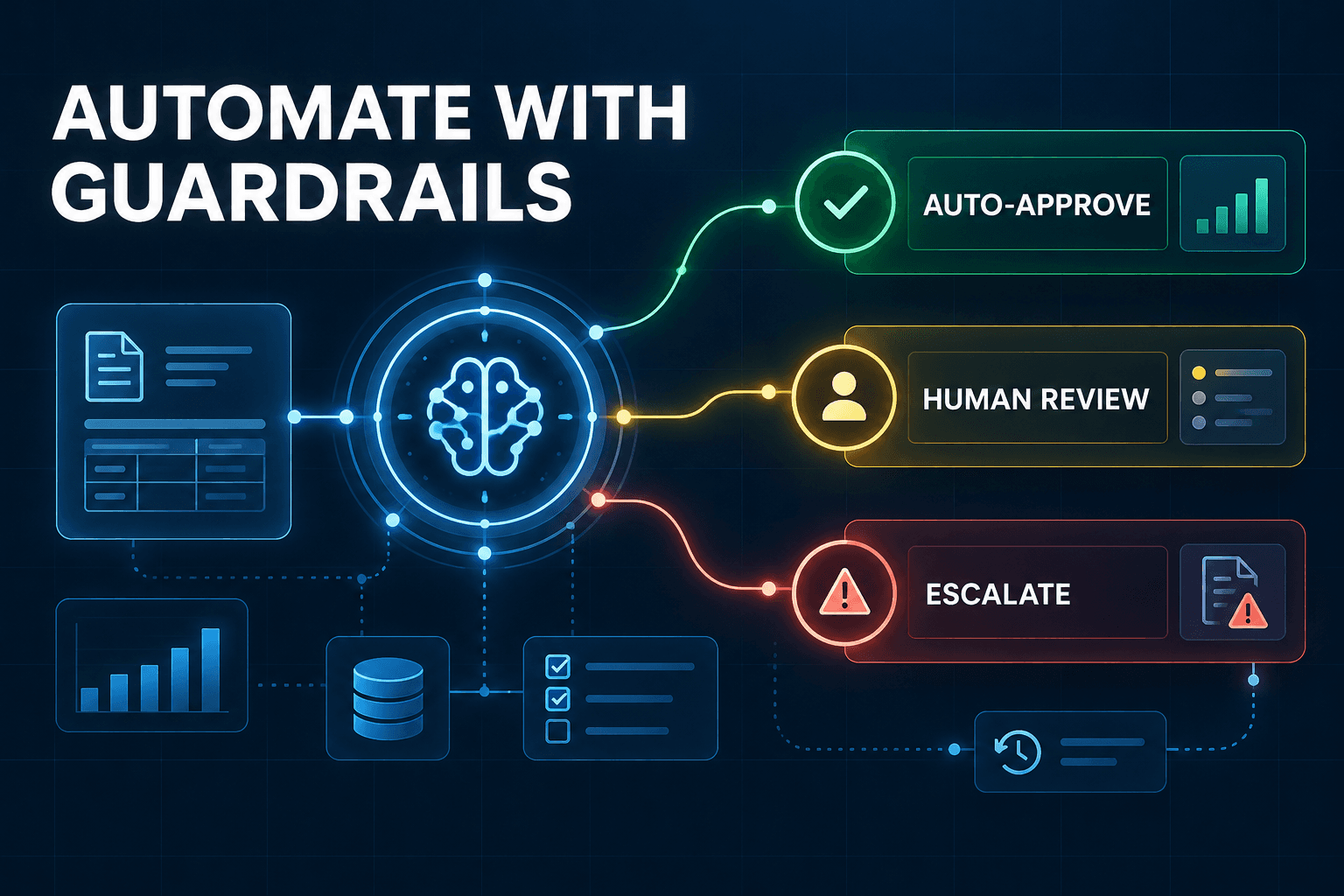
Set rules for when the agent can act on its own and when it must hand work to a person.
For example:
| Action | Automatic? | Approval needed? |
|---|---|---|
| Tag a CRM lead | Yes | No |
| Assign a lead based on geography | Yes, if criteria are clear | Yes, if location is unclear |
| Draft a customer reply | Yes | Required before sending |
| Send a discount offer | No | Required |
| Cancel an appointment | No | Required |
| Change account ownership | No | Required |
A good AI agent human-approval workflow is based on impact. Require approval when an action is hard to reverse, affects a customer, changes sensitive data, involves money, or falls outside a known business rule.
6. Capture the result and any exception
Your trail should record the outcome, not just the attempted action.
Useful status labels include:
- Completed
- Failed
- Retried
- Escalated for review
- Overridden by a person
- Cancelled
When something goes wrong, add a short reason. For example, “Service area could not be determined” is much more useful than a generic error message.
Over time, exception notes reveal where your process needs attention. You may find unclear form fields, missing data, a routing policy that needs revision, or an action that should always require approval.
7. Review outcomes on a recurring schedule
New agents should be reviewed weekly. Once a workflow is stable and low risk, monthly reviews may be enough.
During each review, look for:
- Incorrect actions
- Unnecessary escalations
- Missed handoffs
- Repeat exceptions
- Time saved
- Customer or employee friction
- Business outcomes, such as response time or conversion rate
The point is not to create a report that nobody reads. It is to turn AI agent activity into operating insight.
A Simple Audit-Trail Example: AI Lead Routing
Imagine a prospect submits a website inquiry at 9:07 a.m.
The agent receives the form, identifies the requested service, extracts the prospect's location, estimates urgency from the message, and checks whether the budget meets your stated qualification threshold.
Next, it references the routing policy. If the prospect is in your service area and meets the criteria, the agent tags the lead, creates or updates the CRM record, and notifies the assigned sales owner.
If the location is unclear or the message lacks enough detail, the agent does not guess. It sends the lead to a human review queue.
A useful audit record for this workflow might show:
- Original form submission and timestamp
- Extracted service, location, budget, and urgency
- Routing policy version used
- CRM action taken
- Assigned owner or review queue
- Final result and any human override
The objective is not to monitor every agent movement. It is to make high-impact outcomes explainable when a customer, employee, or manager needs an answer.
The Minimum Controls to Set Before an Agent Goes Live
Before an agent gets access to business systems, establish a few minimum controls:
- Least-privilege access: Give the agent only the data and tools required for its role.
- Separate credentials: Use dedicated service accounts where possible, rather than a shared employee login.
- Approval gates: Add human review for consequential actions.
- An escalation owner: Name the person responsible when the agent cannot proceed safely.
- A rollback procedure: Document how to correct a bad update, message, or workflow action.
- A review owner: Assign responsibility for weekly or monthly checks.
- A retention policy: Decide how long to keep logs, evidence, customer data, and exception records.
Do not let a pilot quietly become a production system just because it appears to be working. A workflow can perform well for weeks before it encounters a vague request, an unusual customer situation, or an edge case that exposes a missing control.
Start Small, Then Make the System More Autonomous
Start with one workflow that is repetitive, measurable, and easy to reverse. Lead tagging, support-ticket triage, appointment-request classification, and internal research summaries are good examples.
Once you have reliable records, clear permissions, and sensible approval rules, you can expand the agent's scope deliberately.
That is how trustworthy automation grows. Employees are more likely to adopt it when they can see what the system did, understand why it did it, and correct it when needed.
Make Your AI Agents Accountable Before They Scale
An audit trail does not eliminate every AI risk. It gives your business a practical way to spot problems sooner, resolve them faster, and make better decisions about where autonomy belongs.
An AI Automation Audit from AI-Automated can help you map an agent's role, data sources, permissions, handoffs, approval points, and success metrics before the workflow grows beyond your team's visibility.
Frequently Asked Questions
What should an AI agent audit trail include?
An AI agent audit trail should include actions, timestamps, tool calls, input sources, evidence used, approval decisions, outputs, exceptions, and final outcomes. The exact record depends on the workflow, but it should provide enough context for a person to understand what happened and why.
Do small businesses need AI agent governance?
Yes. The controls can be lightweight, but any agent that accesses customer data, sends messages, updates systems, or makes recommendations needs documented boundaries and a review process. Governance is simply the operating structure that keeps the agent useful and accountable.
Is an AI agent audit trail the same as an activity log?
No. An activity log may show that an event occurred. An audit trail connects that event to the agent's context, authorization, evidence, approval status, and business outcome. It helps your team explain the decision, not just find the timestamp.
When should a human approve an AI agent's action?
Require approval when an action is difficult to reverse, affects a customer directly, changes sensitive data, involves money, or falls outside a defined business rule. Lower-risk, easily reversible actions can often run automatically once the workflow is proven.
How often should we review AI agent activity?
Review new or high-impact workflows weekly at first. Once the workflow is stable, schedule a monthly review and investigate exceptions as they occur. Frequent early reviews help you improve prompts, policies, data quality, and approval thresholds before problems become routine.