7 Ways to Use AI Agents to Clean Up CRM Data Automatically
Most CRM data problems do not start as “data problems.” They start as workflow problems. A rep skips a field to save 20 seconds. A form pushes in free-text job titles. Marketing imports a list with mismatched account names. Then six months later, your pipeline report is off, lead routing breaks, and sales starts blaming the CRM.
That’s where AI Agents can actually help, if you use them for structured cleanup work instead of vague “make the CRM smarter” projects. This is especially timely now: in Validity’s 2025 CRM data management report, 76% of respondents said less than half of their organization’s CRM data is accurate and complete, and 37% said poor data quality directly caused lost revenue. At the same time, McKinsey’s 2025 global AI survey found that 62% of organizations are at least experimenting with AI agents.
In practice, the win is not “one agent fixes everything.” It is a set of focused automations that clean, enrich, standardize, and route bad records before they spread. Here are seven ways to do that well.
1. Don’t start with deduplication, start with identity resolution
Most teams jump straight to duplicate merging. That’s usually too late.
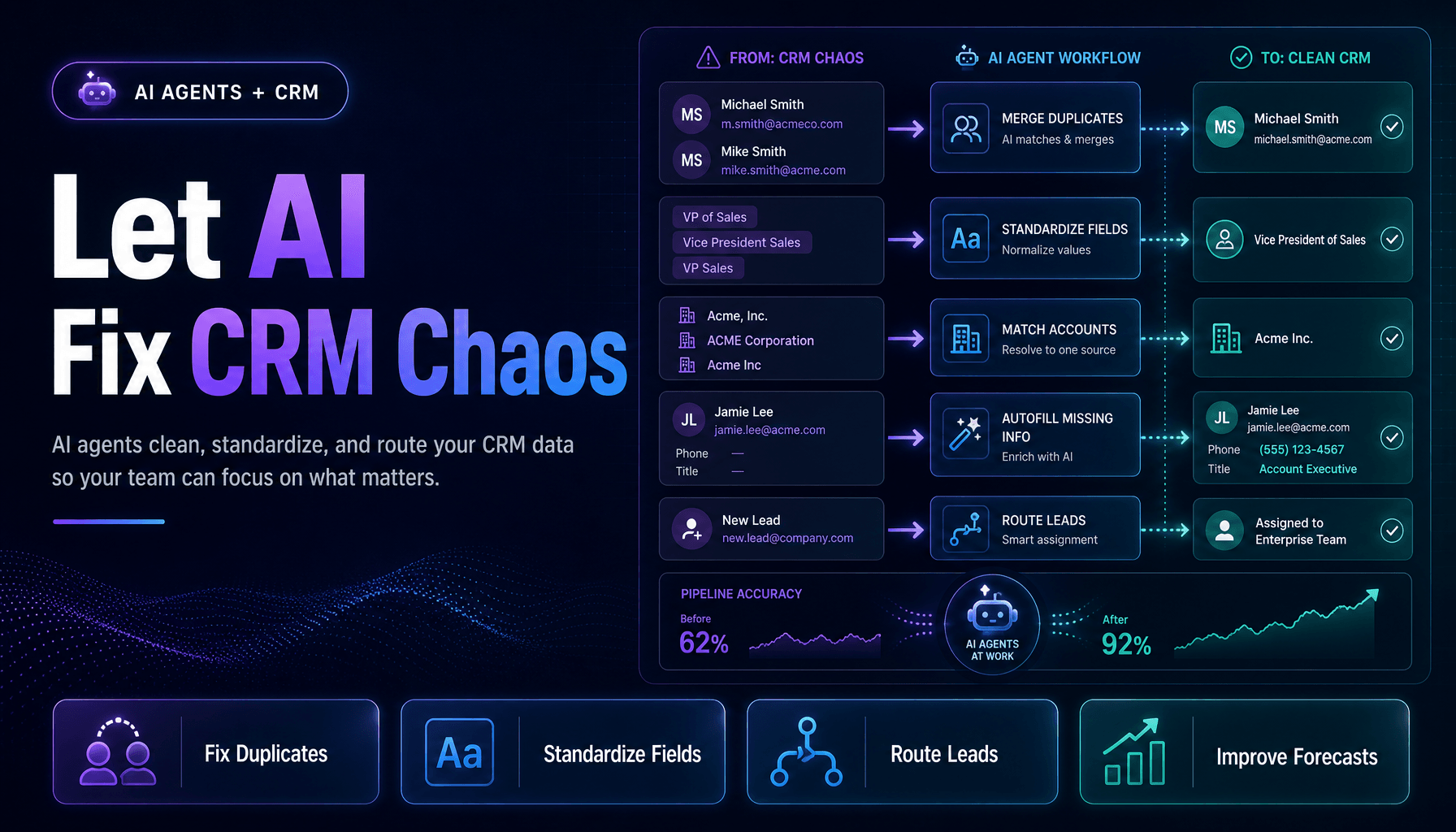
What actually works better is using an AI agent to decide whether two records belong to the same real-world person or company before any merge happens. A good agent checks email domain, phone formatting, legal business name variants, website, geography, and recent activity history. “Acme Inc.” and “ACME Corporation” may be the same account. Two leads with the same first and last name probably are not.
This sounds basic, but it changes the risk profile. Bad merges are worse than duplicates because they corrupt history, ownership, attribution, and reporting. We’ve found that a separate identity-resolution step catches more edge cases than a simple matching rule ever will.
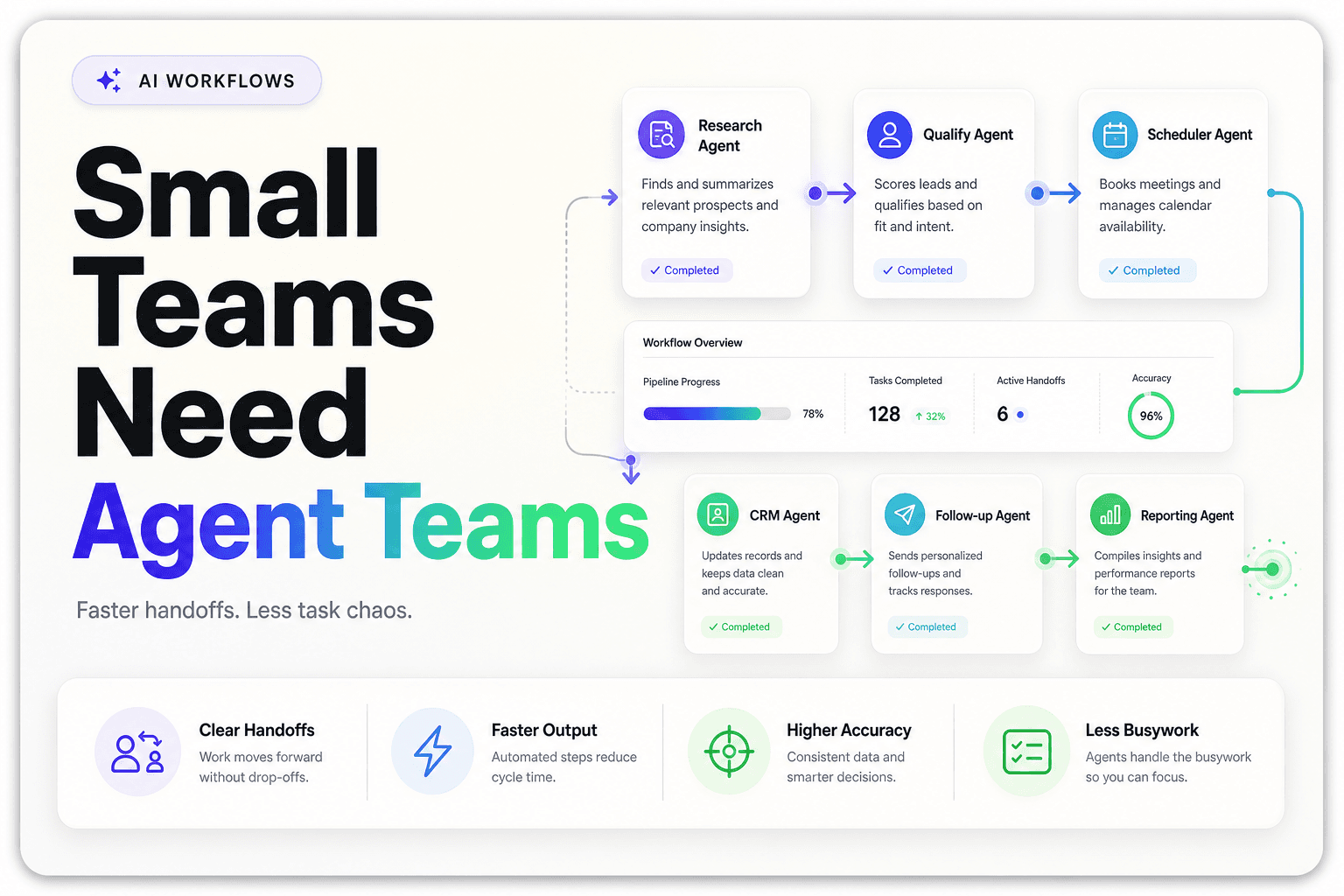
This is also where a multi-step workflow matters. One agent flags likely matches, another scores confidence, and a final action only runs above a threshold. If you are thinking through agent architecture, How Model Context Protocol (MCP) Is Revolutionizing AI Agents is a useful primer on connecting agents to the systems and tools they need.
Practical takeaway: build a match score field and only auto-merge records above a strict threshold. Everything else should go to review.
2. The fastest cleanup win is usually fixing field standardization, not adding more data
Here’s the counterintuitive part: many CRMs do not need more enrichment first. They need less variation.
An AI agent can normalize messy entries automatically across core fields like company name, state, industry, source, and job title. “VP Sales,” “Vice President of Sales,” and “V.P. Sales” should not live as three separate categories if your routing logic depends on role. The same goes for phone numbers, country codes, and inconsistent source naming from paid ads, web forms, and manual entry.
This matters more than people think. In the Salesforce State of Data and Analytics report, leaders identified incomplete, out-of-date, or poor-quality data as the biggest hurdle to getting value from data and AI. Standardization is one of the fastest ways to reduce that friction because it improves segmentation, scoring, and automation all at once.
A simple agent prompt can map raw values to an approved taxonomy, then write the cleaned value back to the CRM while preserving the original in a shadow field for auditability.
Practical takeaway: create an approved value library for 10 to 20 high-impact fields, then let the agent map inputs to that list instead of inventing new values.
3. Don’t send every incomplete record to a human, let an agent repair the obvious ones
A lot of CRM cleanup stalls because ops teams treat every bad record like a manual exception.
That is expensive, and usually unnecessary. AI agents can repair a surprising amount of missing data when the gap is narrow and the evidence is clear. If a lead has sarah@northshorebuilt.com, the agent can infer the company domain, pull the website, identify the company name, and backfill basic account context. If the city is missing but the phone number has a local area code and the website lists office locations, the agent can suggest the most likely match.
The key is bounded repair, not creative guessing. Use the agent where external evidence is easy to verify and the field matters operationally. This pairs well with lead intake. If your inbound process is messy, How to Build an AI Lead Intake System That Routes, Scores, and Responds Automatically shows how to clean records before they spread deeper into the funnel.
A simple decision flow can keep this safe:
If required field is blank
  -> check trusted internal fields
  -> check approved external sources
  -> if confidence > 90%, write value
  -> if confidence 60-90%, queue for review
  -> if confidence < 60%, leave blank
Practical takeaway: reserve auto-repair for fields that affect routing, ownership, or segmentation. Leave low-value profile decoration alone.
4. The highest-friction moment is not data entry, it is post-import cleanup
Imports are where CRM hygiene quietly goes to die.
Trade shows, purchased lists, webinar exports, partner spreadsheets, and CSV uploads create bursts of messy data that overwhelm normal validation rules. This is exactly where an AI agent can sit between import and publish. Instead of letting records flow directly into production, the agent inspects the batch, flags suspicious mappings, checks for duplicate accounts, standardizes fields, and rejects entries that break policy.
What makes this valuable is scale. One messy import can undo months of cleanup. In Salesforce research on data and analytics trends for 2026, poor-quality data remained a core blocker for AI readiness, which lines up with what ops teams already know: if you let bad data in fast, you will spend far more time fixing it later.
We’ve found a pre-ingestion quarantine layer works better than trying to clean everything after the fact. It is less disruptive, easier to audit, and far less political than asking sales to trust a retroactive cleanup.
Practical takeaway: treat imports like code deployments. Nothing large should hit your live CRM without an automated QA pass first.
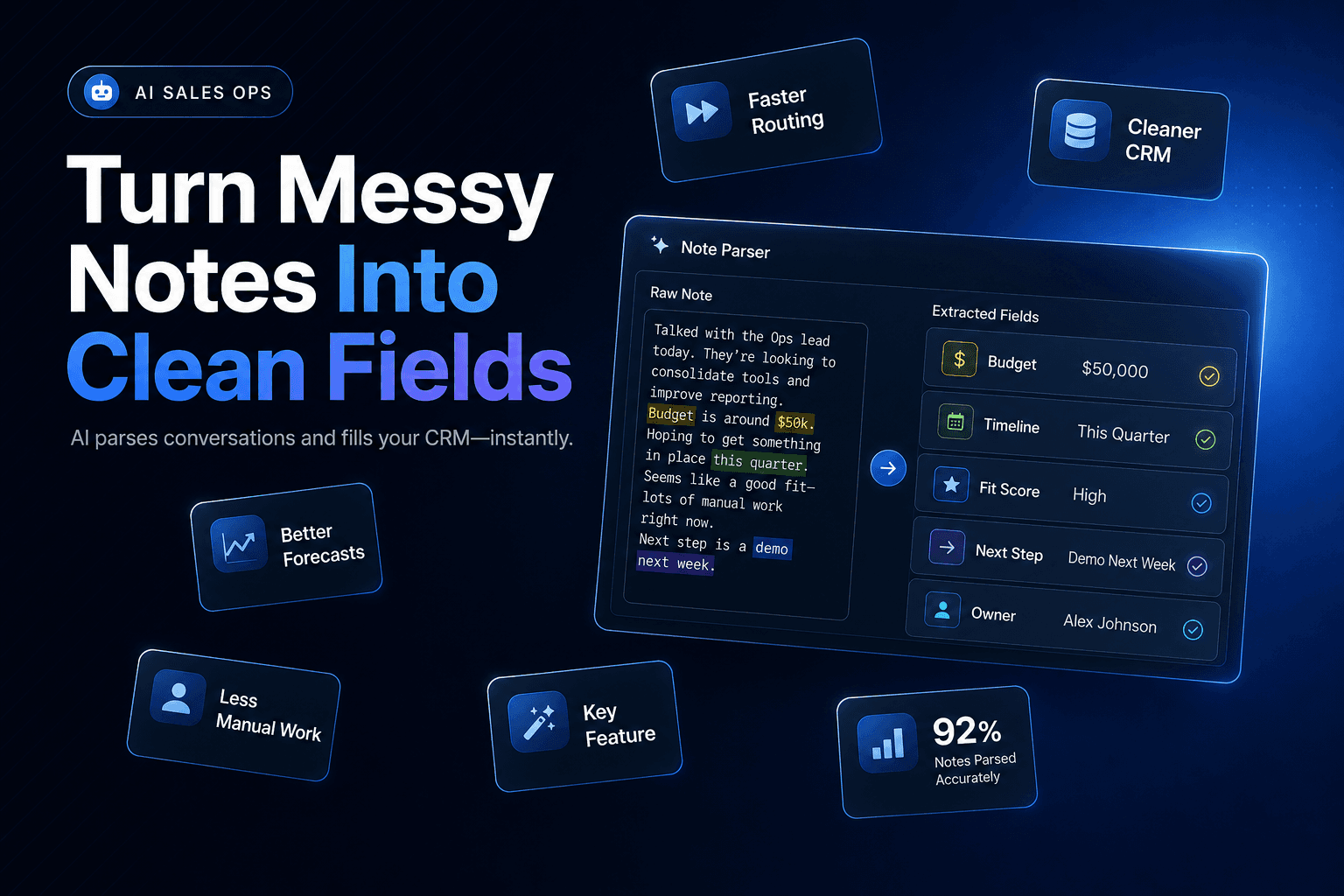
5. Use conversation agents to rewrite messy notes into structured CRM fields
One overlooked cleanup use case is turning unstructured text into usable CRM data.
Reps leave call notes like “talked to ops lead, follow up in July, using HubSpot now, opening 3 new locations.” That is valuable, but only if the CRM can use it. An AI agent can parse those notes and extract timeline, current stack, expansion signals, next step, and stakeholder role into structured fields.
This is not just about neatness. It reduces the gap between what the team knows and what the CRM can act on. Better structure improves Lead qualification, routing, forecasting, and follow-up automation. If your team is already using AI earlier in the sales motion, How to Automatically Research Leads Using AI Agents fits naturally into the same workflow.
A simple split looks like this:
Raw noteStructured output“Call back next month, opening Dallas office, using Pipedrive”Follow-up month: July, Expansion signal: New market, Current CRM: Pipedrive“Owner asked about missed calls after hours”Pain point: Missed calls, Likely fit: Voice AI
Practical takeaway: start with 5 to 8 repeatable note patterns and map them to fields sales actually uses, not fields ops wishes they used.
6. What most teams get wrong: they let the agent overwrite source truth
This is the warning section, because this is where a lot of AI Automation projects go sideways.
Agents should not have unrestricted write access to core CRM objects on day one. The contrarian truth is that full autonomy often makes cleanup worse before it makes it better. IBM’s 2025 CDO study found that only 44% of leaders trusted the data their organization collected, which tells you how fragile the foundation already is. If trust is low, silent automated edits will not help.
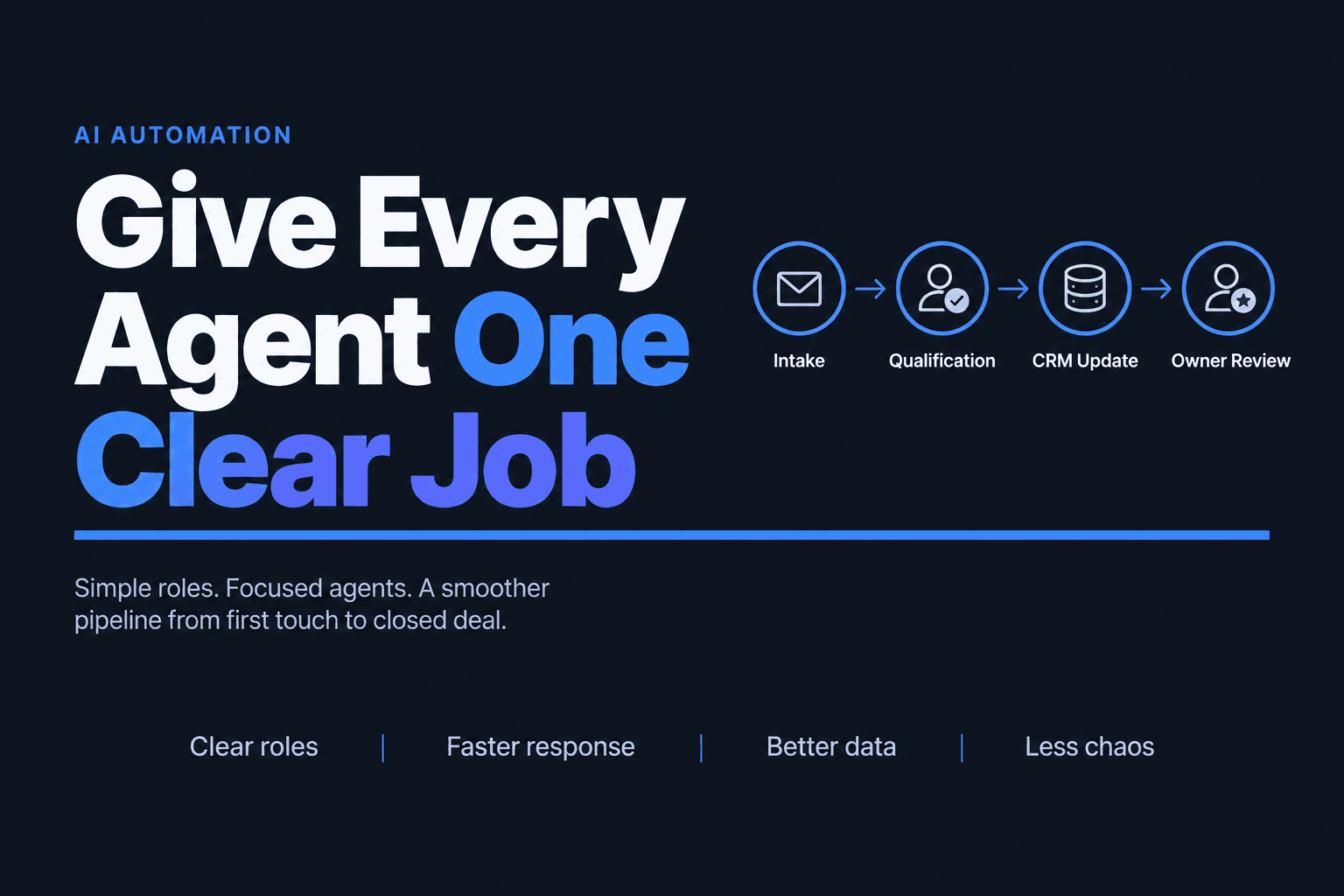
A safer design is to separate roles:
- one agent detects issues
- one recommends fixes
- one writes only approved changes
- one logs what changed and why
That pattern is especially important for account ownership, lifecycle stage, and attribution fields. In complex environments, a controlled multi-agent setup beats a single “smart CRM bot” every time.
If you want a broader cautionary lens, 10 Common Mistakes Small Businesses Make When Integrating AI covers the governance side well.
Practical takeaway: make every agent-written change traceable. If a human cannot see what was changed, by which rule, and with what confidence, you are not doing cleanup. You are creating a future audit problem.
7. Clean the workflow that creates bad CRM data, not just the records
The best CRM cleanup system is the one that has less to clean next month.
This is why the highest-ROI AI agent work often happens upstream: web forms, inbox capture, call intake, chat transcripts, scheduling workflows, and handoffs between marketing and sales. If the source workflow is messy, the CRM becomes the landfill. If the source workflow is structured, cleanup becomes lighter and cheaper.
This is also where Workflow Automation, CRM Automation, and Voice AI come together. For example, if after-hours calls are captured by AI, qualified in real time, and written into the CRM with the right schema, you avoid the common pattern of partial notes and delayed manual entry. Teams thinking about response speed should also see Why Speed to Lead Still Wins in 2026 and How AI Helps You Get There.
The larger context matters too. In McKinsey’s 2025 survey, 80% of organizations pursuing AI said efficiency is an objective, but only a smaller share reported enterprise-level bottom-line impact. In practice, that gap usually comes from weak process design, not weak models.
Practical takeaway: if the same field breaks every week, stop fixing the field and fix the handoff, form, or intake path creating the error.
The Bottom Line
AI agents can absolutely help clean CRM data automatically, but only when the work is narrowly scoped and tied to a real process. The strongest use cases are identity resolution, field standardization, bounded data repair, import QA, note-to-structure extraction, governed write-backs, and upstream workflow fixes.
That is the difference between a flashy demo and a reliable operations layer.
If you want to build AI Agents and CRM Automation that actually reduce manual cleanup, qualify leads faster, and keep your pipeline usable, AI-Automated can help you design the workflow, connect the systems, and put the right guardrails in place.