How to Turn Repetitive Research Tasks Into an AI-Powered Reporting System
A weekly report should answer a question someone is already asking: Which accounts need attention? Which projects are slipping? What changed since last Friday? Instead, most teams begin with a blank document, 14 browser tabs, and a quiet hope that the numbers in three different systems happen to agree.
That routine looks harmless until it repeats every week.
The typical research task is rarely difficult in isolation. Pull a few CRM records. Check campaign performance. Scan call notes. Compare competitors. Summarize open support themes. The cost comes from stitching it all together, chasing missing context, and rewriting the same findings into a format leadership will actually read.
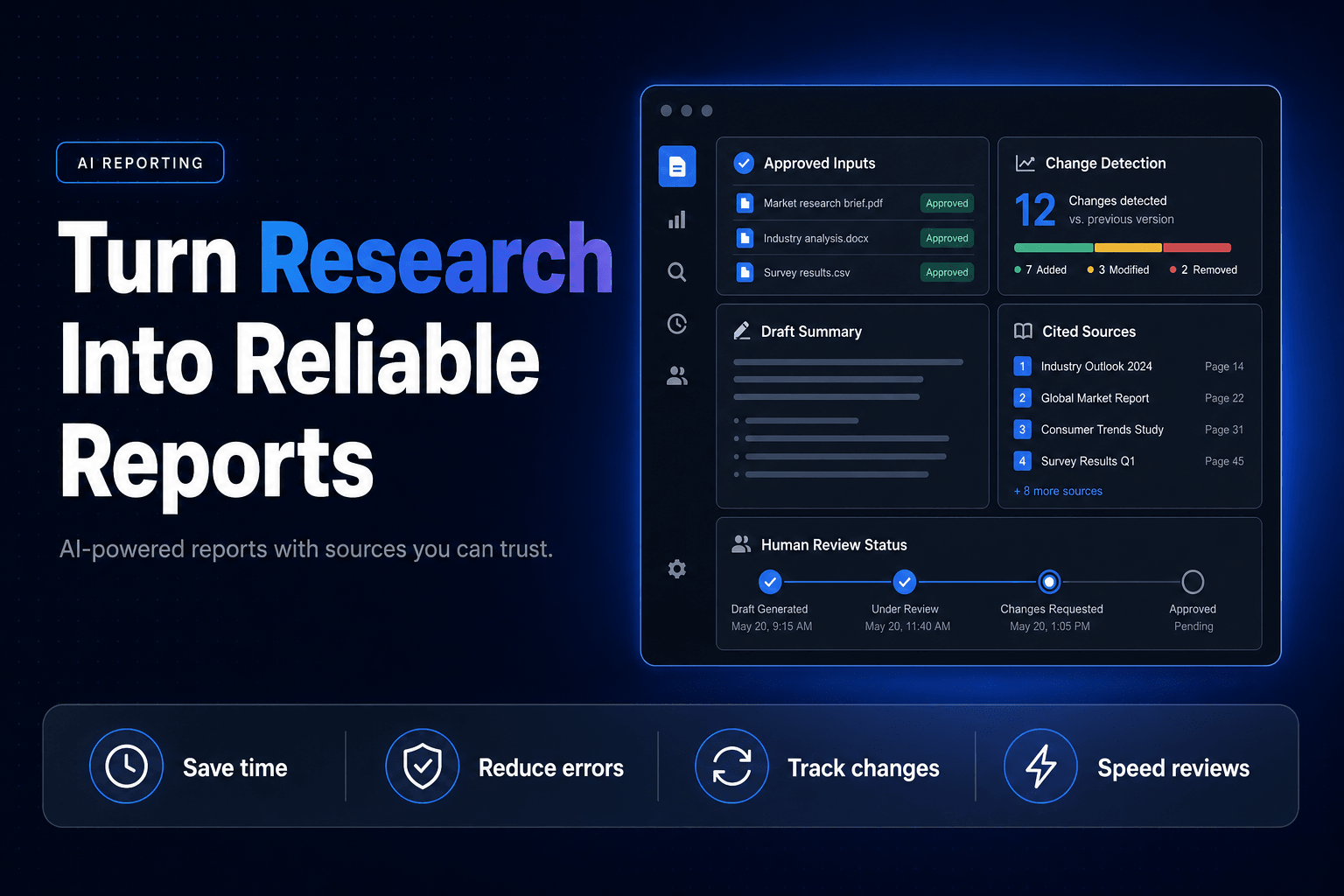
An AI-powered reporting system turns that messy ritual into a repeatable operating process. It gathers approved inputs, checks what changed, creates a structured draft, cites the evidence, and sends uncertain findings to a human before they become somebody’s bad Monday decision.
A report should start with a decision, not a search query
“Research the market” is not a workflow. It is a vague assignment wearing a trench coat.
Before building AI Automation around reporting, define the decision each report supports. A sales leader may need to know which deals have gone cold. An agency owner may need a Friday view of client risk. A real estate team may need to spot lead sources producing inquiries but not showings.
Those are different reports because they drive different actions.
We build the best reporting systems backward from the moment someone reads the final page. Ask four practical questions:
- What decision should this report make easier?
- What evidence would change that decision?
- Where does that evidence live today?
- What should happen when the report finds a red flag?
For example, a service business might create a weekly “lost opportunity” report. The system could compare missed calls, web form submissions, response times, booked appointments, and CRM statuses. It would not merely announce that lead volume fell 12%. It would identify that 18 after-hours callers reached voicemail, six were never contacted, and three matched the company’s high-value service category.
Now the report has teeth.
This is where structured data matters. If call dispositions are free-text confetti, CRM stages are optional, and staff use five versions of “follow up later,” the AI will produce very polished confusion. Clean fields, controlled labels, and reliable event timestamps make the automation far more dependable. Our guide to why structured data improves AI automations explains why this unglamorous work usually determines whether an AI workflow holds up after week three.
A useful reporting brief can fit on one page:
Report: Weekly Pipeline Risk Brief
Audience: Sales manager
Decision: Which accounts require human intervention this week?
Inputs: CRM activity, call transcripts, email replies, proposal dates
Red flags: No activity for 7 days, stalled proposal, negative sentiment, missing next step
Actions: Create task, assign owner, notify manager for high-value accounts
The prompt comes last. The operating logic comes first.
One generalist bot will produce a report, but not a reliable one
We have seen teams hand a single AI assistant a folder of exports and ask for “insights.” It often produces a plausible summary. That is the problem.
Plausible is not the same as useful.
A better setup assigns separate jobs across a small set of specialized AI Agents. One agent gathers source data. Another normalizes names, dates, and categories. A third looks for changes or exceptions. A fourth drafts the narrative. A final reviewer checks whether every claim has evidence attached.
That is a practical version of Multi-agent Systems, not a sci-fi office org chart.
Microsoft Research found that workers using Microsoft 365 Copilot completed documents 12% faster in a randomized study involving more than 6,000 workers at 56 firms, a useful reminder that drafting is a legitimate place to save time, even before a full workflow is in place. Microsoft Research’s 2025 Copilot field experiment (microsoft.com) The larger opportunity comes when drafting is connected to evidence collection and downstream action.
Here is a simple reporting chain we use in practice:
- Collector agent: Pulls records from the CRM, call platform, project tool, or approved web sources.
- Evidence agent: Extracts exact metrics, dates, quotes, and source URLs into a structured table.
- Analyst agent: Compares current data against the prior period and flags unusual movement.
- Writer agent: Produces a report using a fixed template, with no permission to invent numbers.
- Action agent: Creates tasks, sends alerts, or updates records once a human approves the finding.
The division of labor matters because each failure becomes visible. If the report says lead quality dropped, your team can inspect the evidence table rather than interrogating a giant prompt like it is an oracle with a keyboard.
For workflows that require several agents to pass information between tools, build the handoffs deliberately. Our breakdown of mistakes that derail multi-agent workflows covers the usual offenders: unclear ownership, missing context, duplicate actions, and agents that quietly overwrite each other’s work.
The citation ledger is more valuable than the finished prose
A report without traceable evidence is just an opinion with formatting.
Every system needs a citation ledger, which is a structured record behind the final narrative. For every conclusion, save the source, retrieval date, direct excerpt or metric, confidence level, and link back to the original item. This gives operators something much better than “the AI said so.”
Say a monthly agency report includes this line:
Paid search leads increased, but qualified opportunities declined because form submissions from one campaign had low budget-fit scores.
That statement should connect to:
- the ad-platform spend and form-fill export
- the campaign identifier
- the lead qualification rules
- the CRM opportunity records
- the date range used for comparison
Without those links, clients and managers waste time reopening dashboards to see whether the narrative is true. With them, the report becomes a starting point for action.
The data model can stay simple:
| Finding | Evidence | Confidence | Recommended action |
|---|---|---|---|
| Proposal activity fell for 8 accounts | CRM timestamps and email events | High | Assign owner follow-up tasks |
| Competitor added a new pricing page | Captured page text and URL | Medium | Review in next positioning meeting |
| Support complaints mention onboarding delays | Tagged ticket excerpts | High | Escalate to operations lead |
This is also where CRM Automation becomes part of reporting instead of a separate project. When the report identifies missing deal next steps, duplicate contacts, or unworked inbound leads, it should create an exception queue in the CRM. Do not let a useful finding die in a PDF.
If your reports regularly expose missing fields or stale pipeline records, pair the system with automated CRM cleanup workflows. Better records improve the report, and the report reveals which records need fixing. It is a nice little loop when built correctly.
Faster reports can make your decisions worse
There is a bad version of AI reporting: one that replaces slow research with fast, confident nonsense.
In a 2025 field experiment, participants using AI on a task outside the tool’s capability boundary were correct 60.0% and 70.6% of the time, compared with 84.5% for the control group. Organization Science’s “Jagged Technological Frontier” study (pubsonline.informs.org) They finished faster, too. That is exactly why the risk is sneaky.
Speed feels like competence.
Do not automate judgment-heavy research simply because a model can write a clean paragraph about it. Competitive positioning, legal interpretations, financial recommendations, sensitive employee issues, and high-stakes customer escalations need explicit review gates.
A reporting system should know when to stop.
Use confidence rules that trigger human review
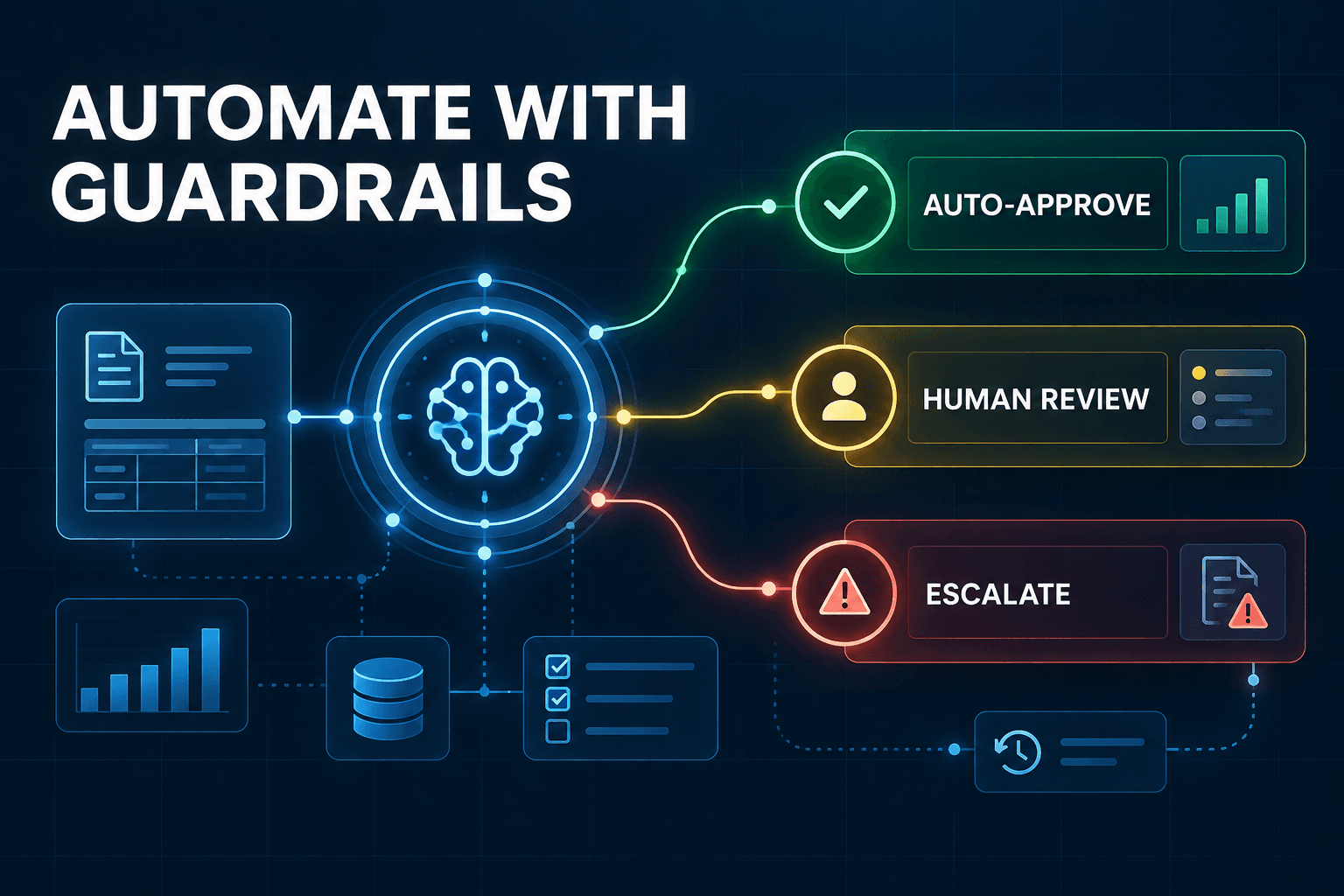
Set conditions that route a draft to a person instead of publishing it automatically:
- A source is older than your allowed freshness window.
- Two systems disagree on the same metric.
- The finding relies on fewer than two supporting records.
- The report contains a financial, compliance, hiring, or client-risk recommendation.
- The model labels a claim as inferred rather than directly evidenced.
We also recommend separating facts from interpretation in the output. Facts get a source link. Interpretation gets a label such as “likely explanation” or “requires review.” That one design choice prevents a lot of accidental overconfidence.
AI should compress the hunt for evidence. It should not quietly appoint itself head of strategy.
Measure report latency, decision usage, and exception accuracy
Most teams measure the wrong thing first. They count prompts, report volume, or how impressed someone was during a demo.
Track whether the system changed the work.
The Federal Reserve Bank of St. Louis found that generative AI users reported average time savings of 5.4% of work hours, or roughly 2.2 hours per week for a 40-hour worker. The St. Louis Fed’s 2025 productivity analysis (stlouisfed.org) That is useful, but a reporting system should also prove that the recovered time led to quicker action or better outcomes.
Use a scorecard like this for the first 60 days:
Report latency: Time from reporting period close to usable draft
Human review rate: Percentage of reports requiring material correction
Exception precision: Percentage of flagged issues confirmed as real
Action completion: Percentage of recommended actions completed within 3 business days
Decision usage: Number of reports referenced in meetings, tasks, or account plans
A marketing agency might start with a client health brief every Monday. If it previously took an account manager three hours to collect screenshots, compare deliverables, scan emails, and write risks, the first goal is not “full autonomy.” The goal is a credible first draft in 20 minutes, backed by evidence, with an account manager spending 15 minutes checking it.
That is 145 minutes returned per client, per week.
Microsoft’s 2026 Work Trend Index found that organizational factors accounted for 67% of reported AI impact, more than twice the contribution of individual mindset and behavior at 32%. Microsoft’s 2026 Work Trend Index analysis (microsoft.com) In plain English: the workflow, ownership, and review process matter more than finding the person with the fanciest prompts.
The reports that stick become part of the weekly rhythm. They have a named owner, a deadline, a consistent format, and clear next actions.
Build the reporting machine around evidence, then let it earn trust
The aim is not to generate more reports. Most businesses already have enough documents nobody opens.
Build a system that turns scattered activity into evidence, evidence into a clear finding, and clear findings into the next action. Start with one report your team currently dreads producing. Define the decision it supports. Create the source ledger. Add a review gate. Measure whether the report changes what happens next.
Once that first workflow works, expand it to pipeline risk, client delivery, support patterns, competitor monitoring, or operations exceptions.
At AI-Automated, we build practical AI reporting systems that connect your real tools, preserve source context, and put useful findings in front of the right person before the week gets away from them. Schedule a free consultation to map one repetitive reporting process and turn it into an AI-powered workflow your team will actually use.