Lead Routing System Guide for Faster Response
Most lead routing systems do not fail because the rules are missing. They fail because the rules were written for an org chart, not for how buyers actually show up.
That gap gets expensive fast. The Artemis 2026 GTM benchmark reports a 42-hour median response time, and says 78% of audited companies still lack real-time routing automation. Worse, 70% respond after the 30-minute window has already closed, which is a polite way of saying the prospect has probably moved on. If you want AI Automation to improve conversion, your routing system has to do more than assign names. It has to decide who should respond, how fast, with what context, and what happens if nobody does.
A good lead routing system is not just a sales ops exercise. It is one of the fastest ways to improve Lead qualification, reduce CRM chaos, and turn Workflow Automation into real pipeline movement.
The first routing mistake is treating every lead like the same kind of urgency
We’ve found most teams build routing around fairness first. Round robin feels tidy. Everyone gets an even slice. Nobody complains in Slack.
The problem is that buyers do not arrive in evenly distributed, perfectly comparable little boxes.
A pricing request from a 200-person company in your core market should not wait behind a low-fit ebook download that happened 30 seconds earlier. The Artemis 2026 GTM benchmark shows just how steep the drop-off is: teams responding in 5 to 30 minutes see a 58% conversion loss, and at 30 to 60 minutes the relative conversion rate drops to 0.21x the under-5-minute baseline.
That means your routing logic should start with priority, not rep rotation.
A practical routing system usually needs these decision layers:
- Intent level: demo request, pricing form, inbound call, referral, content download
- Fit level: industry, company size, geography, service line, budget band
- Ownership rules: territory, named account, existing customer, open opportunity
- Capacity rules: rep availability, PTO, queue load, after-hours coverage
- Fallback path: what happens if the assigned owner does not act quickly
This is also why we push teams to connect intake and routing instead of treating them as separate projects. If your form, chat, phone, and calendar flows all feed different logic, your “system” is really four small arguments happening at once. Our guide on how to build an AI lead intake system that routes, scores, and responds automatically goes deeper on that front-door architecture.
Round robin is fine, until it quietly starts costing you deals
Here is the mildly annoying truth: round robin is often the right starting point, and the wrong long-term system.
It works when your team is small, your offers are simple, and all reps can handle roughly the same lead types. Once any of that changes, a flat rotation becomes a nice-looking way to misroute revenue.
HubSpot’s June 2026 write-up on automated territory assignment cites a Meera survey of 464 companies showing teams that waited over an hour to respond were 7 times less likely to qualify inbound leads. That is not just a speed issue. It is often a routing design issue. The lead sat because the wrong person got it, the assigned rep was buried, or nobody owned the exception path.
What actually works better is a tiered model.
Use simple rules for low-risk leads
For lower-intent or lower-value leads, basic rotation is fine:
- newsletter signups
- top-of-funnel content conversions
- general contact requests
- small inbound accounts with standard offers
Use conditional rules for expensive leads
For high-intent or high-value leads, route based on business reality:
- named accounts go to the account owner
- enterprise deals go to the segment specialist
- service-area requests go by geography
- technical buyers go to reps with product depth
- repeat buyers go to the same pod or CSM-aligned seller
In practice, the best lead routing systems are boring on purpose. They avoid cleverness and focus on fast, predictable decisions. If you need a broader view of the tooling side, our comparison of the best AI automation platforms for businesses in 2026 can help you evaluate what your stack can actually support.
The real bottleneck is usually bad data, not bad intent
A routing rule is only as smart as the fields it depends on.
This is where a lot of CRM Automation projects go sideways. Teams build beautiful assignment logic based on industry, employee count, location, product interest, or account ownership. Then half the records arrive missing one of those fields, or duplicated under slightly different company names, and the workflow starts making weird choices with a straight face.
The Salesforce State of Sales, 7th Edition found that 46% of sales pros with agents say data quality issues hurt their sales, while manual errors and duplicate data rank among the top issues for teams trying to use AI well. That tracks with what we see in the field. Most routing problems show up downstream as “sales isn’t following up,” when the upstream issue was incomplete or conflicting data.
Before a lead is assigned, validate a few non-negotiables:
- company name
- email/domain
- geography or service area
- lead source
- product or service interest
- owner conflict check against existing accounts or open opportunities
If those fields are missing, do not force the record through a fake precision machine. Send it to a short review queue or let an AI Agent enrich it first.
This is one reason we like structured enrichment before assignment. In how to automatically research leads using AI agents, we break down how automated context gathering can clean up fit scoring, personalization, and handoffs before a rep ever touches the record. And if your CRM already looks like a garage where every tool got thrown into one drawer, 7 ways to use AI agents to clean up CRM data automatically is the less glamorous but very necessary companion piece.
If your SLA stops at assignment, you do not really have a routing system
This is the part teams skip. They think routing ends when the CRM owner field updates.
It doesn’t.
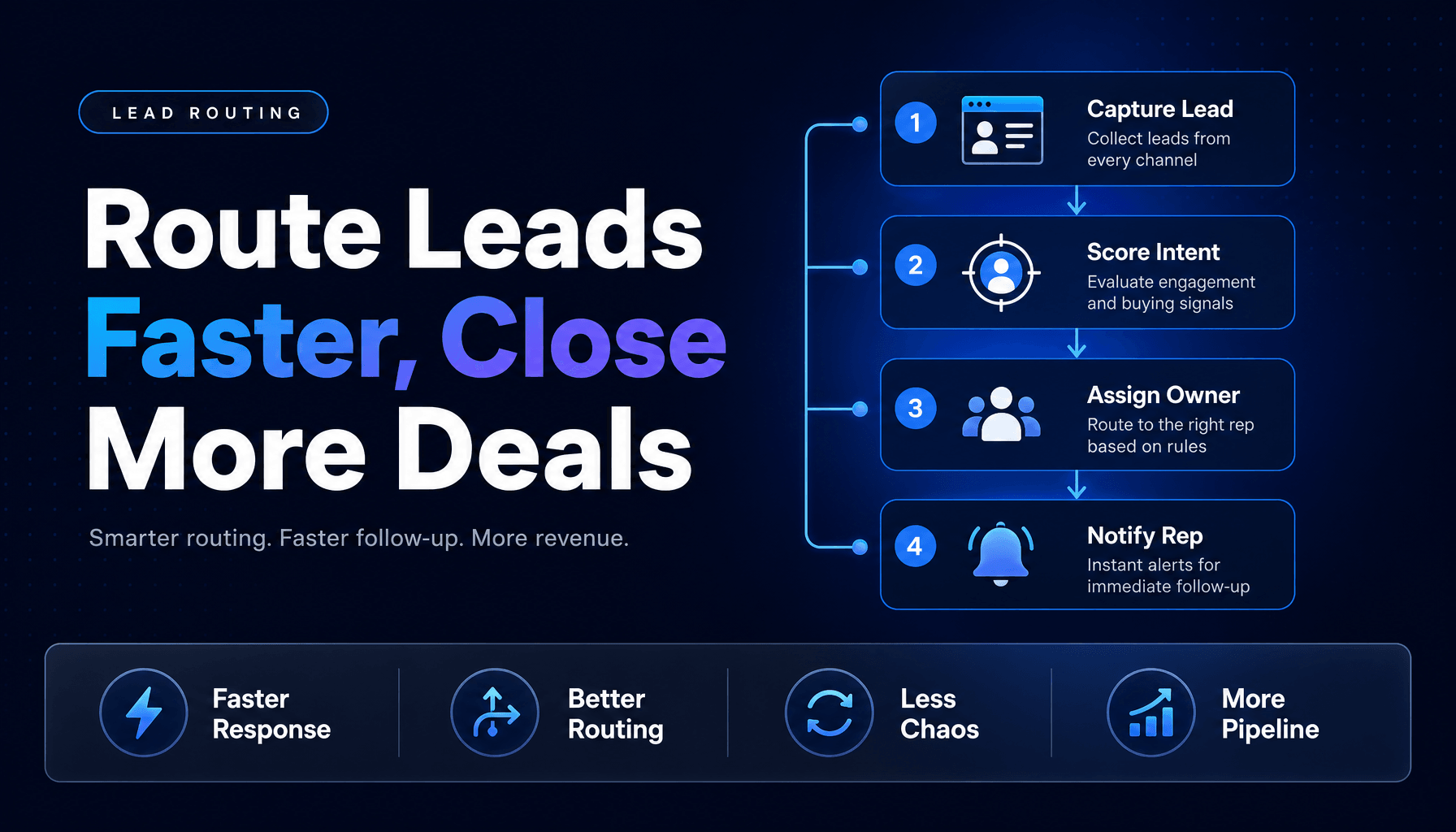
A lead routing system should own the full first-response chain, from intake to human action. The Artemis 5-minute SLA checklist describes a practical sequence: routing should fire in under 30 seconds, alerts should go out in under 60 seconds, and there should be an escalation path if the assigned rep does not respond within 3 minutes. That is what an operational SLA looks like. Not “we assigned it quickly.” We moved it, alerted the owner, and protected the handoff if the owner did nothing.
A healthy routing workflow usually includes:
- Assignment: owner selected by rule
- Notification: Slack, SMS, email, or in-app alert with context
- Task creation: required follow-up logged automatically
- Timer: SLA countdown starts immediately
- Escalation: reassign or notify manager if untouched
- Audit trail: capture assignment time, first-touch time, and reassign reason
You can think of this as the difference between sorting mail and actually delivering it.
This is where Multi-agent Systems and Workflow Automation become useful. One agent can classify and enrich, another can check CRM ownership conflicts, and a routing workflow can trigger the correct human action with a fallback. For teams designing more complex handoffs, the complete guide to multi-agent AI systems for small business operations is a good next read.
Design for exceptions first, because exceptions become your real process
The clean demo is never the hard part.
The hard part is what happens when:
- the lead comes in after hours
- the assigned rep is on PTO
- the account already exists under a parent company
- two teams both think they own the lead
- the prospect books a meeting before the routing workflow finishes
- a high-fit inbound lead looks low-fit because one field is blank
Those are not edge cases for long. At scale, they become the job.
HubSpot’s September 2025 article on lead routing automation includes a case where automated routing reduced response time from 4.2 hours to 37 minutes in one quarter and increased conversion rates by 23%. That kind of gain usually does not come from prettier rules alone. It comes from removing exception drag.
When we map routing systems, we usually create three paths:
Path 1: Clean auto-route
All required fields are present, ownership is clear, and the lead goes straight to the right queue or rep.
Path 2: Auto-route with enrichment
The lead is promising, but missing details. An agent enriches the record, scores fit, then routes.
Path 3: Needs-review queue
Conflicts, duplicates, or missing critical fields block confident assignment, so ops or an SDR pod resolves it quickly.
That last path matters more than people think. Forcing bad records into sales just creates invisible failure. A short review queue is not inefficiency. It is quality control.
Measure routing quality with four metrics, not one
Most teams measure routing speed and call it a day. That is like judging a restaurant only by how quickly the plate leaves the kitchen.
You need at least four metrics:
| Metric | What it tells you | Warning sign |
|---|---|---|
| Time to assignment | How quickly the system decides ownership | More than 1 to 2 minutes for standard inbound |
| Time to first human touch | Whether routing actually leads to action | Fast assignment, slow rep response |
| Reassignment rate | Whether the first owner was correct | Frequent manual transfers |
| Unworked lead rate | Whether leads are falling through despite assignment | "Assigned" but untouched records piling up |
Add two more if you want a sharper view:
- Needs-review rate: too high means intake data is weak
- Duplicate conflict rate: too high means CRM hygiene is sabotaging routing
This is also why routing should be reviewed weekly, not quarterly. If your team changes territories, products, staffing, or service areas, your routing logic drifts fast. We see this especially in real estate teams, agencies, and multi-location service businesses where ownership changes more often than anyone updates the workflow.
A routing system is healthy when it answers three questions clearly: Who owns this lead? Why? And what happens if they do nothing?
If your current process cannot answer all three in seconds, it is not really routing. It is delayed decision-making dressed up as process.
A strong lead routing system does not need to be fancy. It needs to be fast, structured, and brutally clear about ownership. That is how AI Agents, AI Automation, Voice AI, and CRM Automation stop being isolated tools and start acting like one operating system for revenue.
If you want help designing a routing workflow that captures, qualifies, assigns, and follows up without the usual CRM mess, AI-Automated builds practical systems for exactly that. Let’s turn your lead handoff from a scavenger hunt into something your team can actually trust.