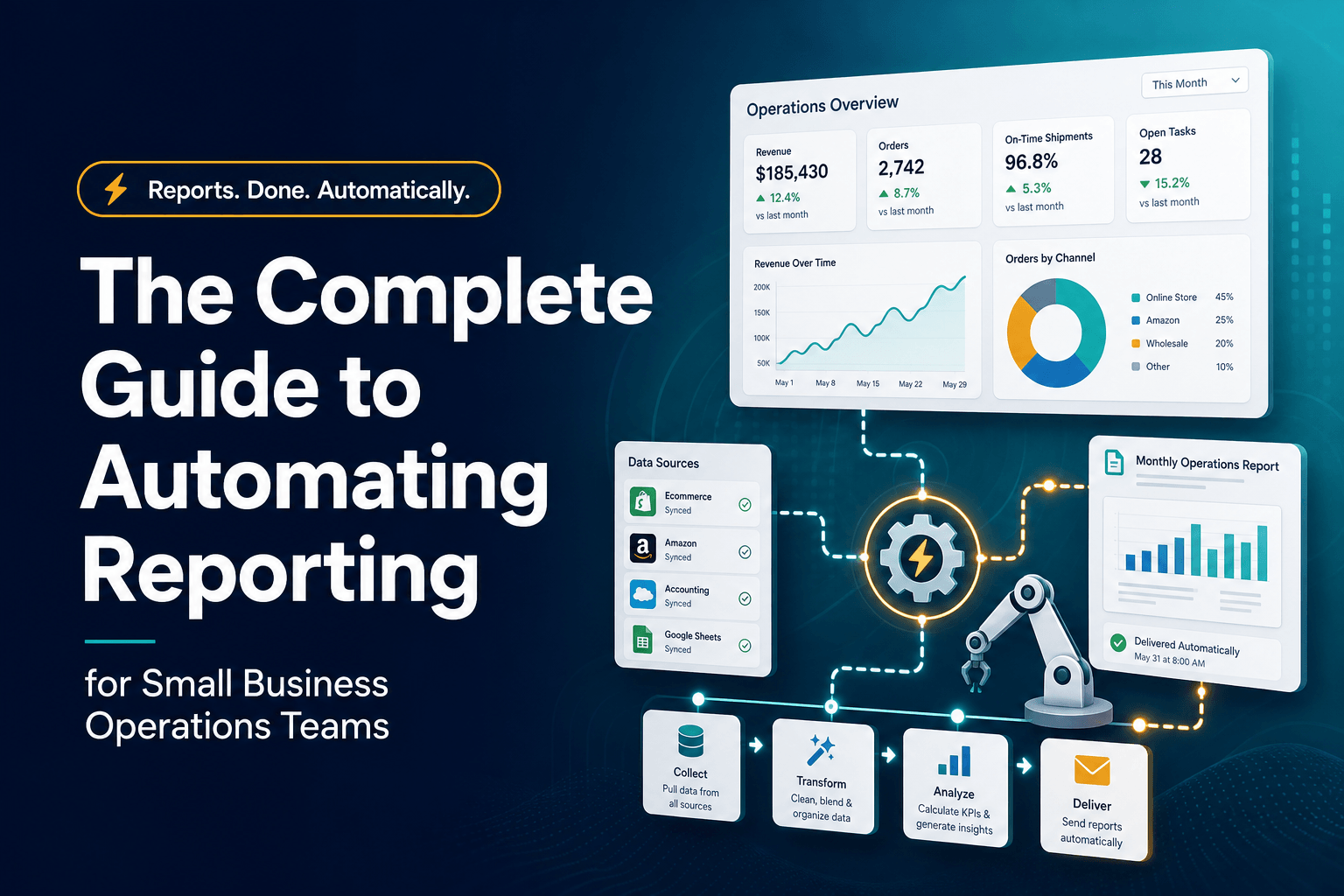
Automating Reporting for Small Business Teams
What does “reporting” look like in most small operations teams? Usually it’s one person exporting CSVs on Friday, another fixing formulas, and everyone else waiting until Monday to find out what already went wrong. That’s a costly habit. In a 2025 Intuit QuickBooks survey of more than 2,200 U.S. small businesses, 74% of AI users said AI is boosting productivity and 24% said their workdays are shorter because of it Intuit QuickBooks Small Business Insights survey. For operations teams, reporting is one of the clearest places to turn that productivity into something measurable.
The important shift is this: automated reporting is not just “dashboards instead of spreadsheets.” It’s Workflow Automation for how data gets captured, cleaned, summarized, distributed, and turned into action. When done well, reporting stops being a weekly chore and starts acting like an operating system for the business.
The real problem isn’t building reports, it’s rebuilding the same report every week
Most small teams don’t suffer from a lack of data. They suffer from repetitive assembly.
A typical ops reporting cycle looks like this:
- Export data from the CRM
- Pull finance numbers from accounting software
- Copy fulfillment or service metrics from another system
- Clean column names and date formats
- Recheck formulas because someone changed the sheet last week
- Send a static summary nobody fully trusts
That process feels normal until you price it out. HubSpot’s 2025 guide to reporting automation says automated reporting often saves 10–20 hours per week by removing recurring manual collection and report creation HubSpot’s 2025 reporting automation guide. For a lean operations team, that isn’t a “nice to have.” That’s real capacity you can move back into customer response, vendor coordination, staffing, or margin improvement.
We’ve found the first win usually isn’t a prettier dashboard. It’s eliminating three kinds of waste:
- duplicate data entry
- last-minute number validation
- status updates built from stale exports
A small home services company, for example, may track leads in one system, bookings in another, and job completion in a third. If the ops lead has to manually stitch those numbers together every Monday, the report is already old by the time the team sees it. A simple automated pipeline that syncs source systems and refreshes one operating dashboard can remove hours of admin and make exceptions visible sooner.
That’s the real promise of AI Automation in reporting: not more charts, but fewer delays.
Don’t automate every metric; automate the decisions that repeat
This is where teams often get it backward. They try to automate all reporting at once, then end up with a dashboard graveyard.
The better approach is to start with repeated operational decisions. Ask:
Which decisions happen every week?
Examples:
- Do we need to reassign inbound leads by source quality?
- Which jobs are at risk of delay this week?
- Where are follow-ups getting stuck?
- Which accounts need a manager review?
- Are payroll, invoice, or reconciliation exceptions rising?
If a report does not support a recurring decision, it probably shouldn’t be automated first.
In practice, the best first-wave reporting automations for small business ops teams are usually:
- Lead response reporting: form fills, missed calls, booked appointments, response time
- CRM Automation reporting: pipeline movement, unassigned records, stale opportunities, duplicate contacts
- Service delivery reporting: open jobs, aging tasks, completion rates, technician or team utilization
- Finance ops reporting: overdue invoices, reconciliation exceptions, cash flow snapshots
- People ops reporting: hiring funnel status, interview scheduling lag, onboarding completion
This is also where AI Agents can help. Instead of only displaying metrics, they can summarize what changed, flag anomalies, and route the next task automatically. If you’re already thinking about cleaner customer records, this ties directly into ways to optimize your CRM with AI automation, because reporting quality usually rises or falls with CRM quality.
A report should answer, in plain language: What changed, what matters, and who needs to act? If it can’t do that, automating it just makes the confusion faster.
Your dashboard is probably failing before the data even gets there
Here’s the mildly contrarian part: most reporting problems are not reporting-tool problems.
They’re upstream discipline problems.
Gartner reported in February 2025 that 30% of chief data and analytics officers say their top challenge is measuring business impact, and only 22% of organizations have defined, tracked, and communicated business impact metrics for most of their data and analytics use cases Gartner’s 2025 CDAO survey. Small businesses feel the same issue in a simpler form: they automate the report before they define the metric.
What actually goes wrong?
- Sales marks a lead as “qualified” differently than ops does
- Closed jobs get updated late, so service metrics lag reality
- Fields are optional in the CRM, which means summaries are incomplete
- Multiple spreadsheets quietly become shadow systems
- Everyone wants visibility, but nobody owns data definitions
That’s why some automated dashboards lose trust fast. They refresh on time, but they refresh bad inputs.
Before you automate reporting, lock down three things:
RequirementWhat it means in practiceWhy it mattersMetric definitionOne shared meaning for each KPIPrevents teams from debating the numberSource of truthOne system owns each data pointReduces reconciliation workUpdate ruleClear trigger or refresh cadenceKeeps data current enough to act on
We’ve found small ops teams get better results from a narrower, stricter dashboard than from a broad “executive overview” packed with vanity metrics. Fewer metrics, cleaner ownership, stronger adoption.
If the report doesn’t trigger action, it’s still manual work in disguise
A lot of reporting projects stop at visibility. That’s a mistake.
The next step is connecting reporting to action through Workflow Automation and, where useful, Multi-agent Systems. Once a threshold is crossed, something should happen automatically.
For example:
A practical ops reporting flow
New lead arrives
→ AI checks source, service type, geography, and urgency
→ CRM record is enriched and scored
→ Ops dashboard updates in real time
→ If score is high and no owner is assigned in 10 minutes, route to backup rep
→ If appointment is not booked in 24 hours, trigger follow-up task
→ Weekly summary highlights conversion leaks by source
That kind of setup turns reporting from passive monitoring into active operations. It also overlaps with AI agents for inbound lead follow-up and appointment booking automation for speed-to-lead, because the highest-value reports often sit right on top of lead routing and scheduling workflows.
Smartsheet’s 2025 Total Economic Value study found users reporting 75% time savings in status reporting, 60% less manual data entry, and 56% faster decision-making from automation and live dashboards Smartsheet’s 2025 TEV study. The useful takeaway isn’t “buy Smartsheet.” It’s that status reporting pays off when it eliminates hand-compiled updates and shortens the time between issue detection and response.
For small teams, that might mean:
- auto-alerting when unassigned leads spike
- opening tasks for overdue invoices
- sending a manager digest when no-show rates rise
- flagging jobs at risk based on backlog and staffing
That’s where AI Automation starts earning its keep.
Start with one operating scorecard, not a full BI project
You do not need a six-month analytics rollout to automate reporting well.
What works better is building one cross-functional scorecard that operations actually uses every week. We usually recommend starting with 6–8 metrics that connect demand, delivery, and cash.
A simple version might include:
- new leads by source
- median first-response time
- appointments booked
- jobs delivered this week
- overdue tasks or exceptions
- invoices sent
- invoices overdue
- cash collected
Then define the workflow around it:
- Capture data from the systems already in use
- Normalize fields, statuses, and date logic
- Visualize only the metrics tied to recurring decisions
- Distribute the right view to the right person on a schedule
- Trigger follow-up actions when thresholds are hit
This is also why we push teams to think in systems, not isolated reports. A report built on top of weak CRM records will stay weak. A report connected to strong intake, qualification, and routing gets more useful over time. If outbound sales or account coverage matters in your business, that same thinking applies to using AI agents to research target accounts before outreach, where better inputs lead to better downstream reporting and better rep decisions.
The goal is not to “have dashboards.” The goal is to run the business with less lag, less manual cleanup, and fewer surprises.
Good automated reporting should make meetings shorter, not prettier
The hidden ROI of automated reporting is operational tempo.
When reports are trustworthy and current, meetings change. Teams spend less time arguing over what happened and more time deciding what to do next. Intuit’s June 2025 small business survey found 68% of small businesses now use AI regularly, up from 48% in July 2024, and 41% of AI users said revenue is up Intuit QuickBooks June 2025 survey. That doesn’t mean reporting automation alone drives revenue, but it does show where small businesses are finding leverage: faster admin, shorter feedback loops, and more time on work that moves the business.
For operations teams, the practical standard is simple:
- the data updates without manual chasing
- the metrics are defined once
- the right people see the right view automatically
- exceptions create action, not just awareness
- weekly reviews focus on decisions, not spreadsheet repair
If your team is still rebuilding the same report every week, you don’t have a reporting process. You have a recurring manual task.
That’s exactly the kind of work we help businesses remove. At AI-Automated, we build practical AI Agents, CRM Automation, and reporting workflows that connect your systems, surface the right metrics, and trigger action without adding headcount. If you want to turn reporting from a time drain into an operating advantage, schedule a free process audit and we’ll show you where automation will save time first.