7 Mistakes to Avoid When Deploying Voice AI for Inbound Calls
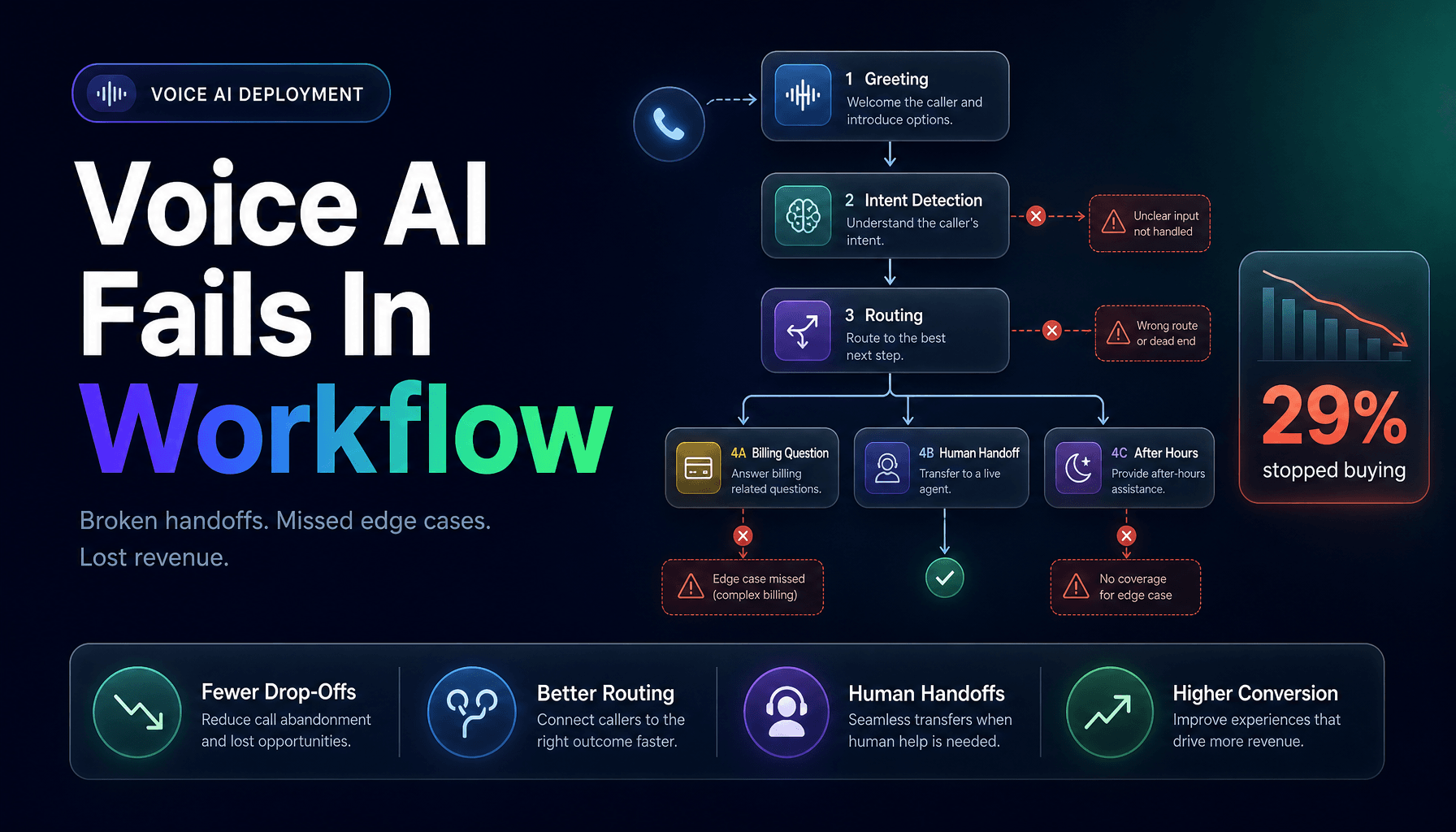
Most Voice AI projects do not fail because the model sounds robotic. They fail because the workflow behind the call is a mess.
That is the annoying part. A demo can sound polished in a quiet room with a clean script and one happy-path scenario. Then real calls show up. A prospect calls after hours. A customer changes the subject halfway through. Someone asks a billing question the system was never meant to answer. Suddenly your “smart” phone layer is just a faster way to frustrate people.
That matters because inbound calls still carry real revenue and real risk. PwC’s March 27, 2026 contact center analysis notes that 29% of consumers stopped buying from a brand because of poor customer experience, which is a brutal price to pay for a bad phone flow. At the same time, Zendesk’s January 13, 2026 Voice AI research found that 65% of consumers say Voice AI improves phone interactions, so the upside is real when it is done well.
If you are deploying Voice AI for inbound calls, these are the seven mistakes we see teams make most often, and what to do instead.
1. Treating Voice AI like a cheaper receptionist
The first mistake is assuming the job is simply “answer every call.”
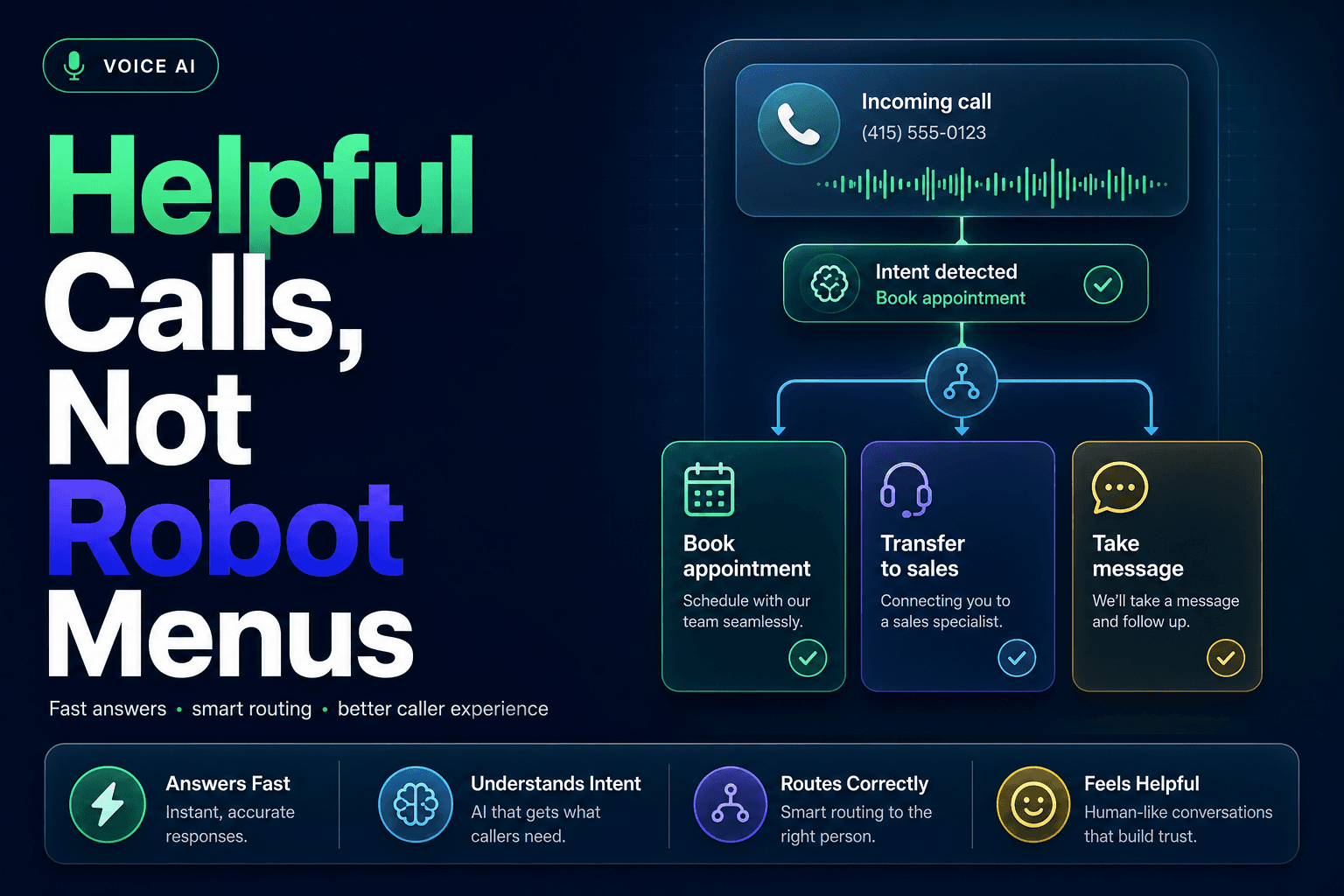
That sounds sensible until the AI starts picking up calls it should never fully handle. In practice, inbound phone traffic is a mix of lead capture, account questions, urgent issues, appointment changes, and edge cases that need judgment. If your system only answers but does not identify intent, route correctly, and update downstream systems, you have not built Workflow Automation. You have built a polite traffic jam.
We have found the better framing is this: Voice AI is the first operational layer, not the final destination. It should gather context, classify the request, and decide what happens next. Sometimes that means resolving the call. Sometimes it means routing to a person with notes attached.
This is the same logic behind how to build an AI lead intake system that routes, scores, and responds automatically. The phone is not separate from the workflow. It is the front door to it.
Practical takeaway: Define 3 to 5 call types before launch, then map the correct outcome for each one: resolve, route, schedule, escalate, or log for follow-up.
2. Automating the hardest calls first
This is where teams get a little too confident, a little too early.
They start with billing disputes, complaints, cancellations, or regulated account issues because those calls are expensive. On paper, that feels efficient. In production, it is usually the fastest way to torch trust. Gartner’s December 9, 2024 survey found 44% of customer service leaders were exploring customer-facing GenAI voicebots, 11% were piloting them, and just 5% had deployed them, which tells you most teams were still in cautious rollout mode, not “let the bot handle everything” mode.
The surprising move is to begin with narrow, repetitive call categories where success is easy to measure. Think store hours, order status, appointment confirmation, basic lead intake, or FAQ routing. These are boring. That is exactly why they work.
A simple way to think about it:
| Call type | Good first use case? | Why |
|---|---|---|
| Hours, location, FAQs | Yes | Repetitive and low risk |
| Appointment changes | Yes, with guardrails | Structured, easy to confirm |
| New lead intake | Yes | Great fit for lead qualification |
| Billing disputes | No | High emotion, high risk |
| Complex complaints | No | Needs judgment and empathy |
Practical takeaway: Win on low-risk call types first, then expand only after you can measure containment, transfer quality, and caller satisfaction.
3. Ignoring what happens when the caller goes off script
Real callers do not respect your flowchart. Rude, but consistent.
A customer may start with, “I need to reschedule,” then pivot into “also I was charged twice,” then mention they already called yesterday. This is where many voice systems fall apart. The issue is not always speech recognition. It is poor conversation state management.
What actually goes wrong is the AI keeps following the original branch while the human has moved on. That is how you get bizarre exchanges that feel less like service and more like hostage negotiation. A recent June 4, 2026 analysis of voice AI containment failures by Omi points to this exact problem: systems often perform acceptably in pilots but fail on real calls when customer intent shifts mid-conversation.
If your inbound stack connects phone, CRM, and actions across tools, this is also where Multi-agent Systems can help. One agent can handle intake, another can retrieve account context, and another can decide whether to trigger a workflow or escalate. We break that design pattern down in the complete guide to multi-agent AI systems for small business operations.
Practical takeaway: Test conversations where the caller changes topics halfway through. If the AI cannot recover gracefully, it is not ready.
4. Letting the bot answer without checking your CRM or knowledge base
A voice agent with no context is just guessing with confidence.
That is dangerous on inbound calls because callers assume the system represents your business accurately. If it cannot see customer status, open tickets, appointment data, or policy content, it will either ask dumb questions your team already knows the answer to, or worse, give a wrong one.
This is where CRM Automation and grounded retrieval matter. If a caller says, “I need to confirm my appointment for Thursday,” your system should not act like it has amnesia. It should pull the record, confirm the slot, log the interaction, and update the outcome. If it cannot do that, keep the scope tighter.
We have seen the same issue in sales workflows. Teams try to automate qualification while storing everything as messy freeform notes, then wonder why routing breaks. That is why structured data matters so much, and why 7 ways to use AI agents to clean up CRM data automatically is a useful companion read before you wire voice into the rest of your stack.
Practical takeaway: Before launch, list the exact systems the voice agent must read from and write to. If it cannot access the needed data safely, reduce the use case.
5. Hiding the human handoff like it is a state secret
This is the classic over-automation mistake.
Some teams are so determined to drive containment that they make escalation painful. The caller keeps getting rephrased prompts, circular clarifications, and soft refusals instead of a clean transfer. That might improve one dashboard metric. It absolutely does not improve the experience.
And callers are not in a forgiving mood. Verint’s 2026 State of Customer Experience findings report that 51% of customers say businesses fall short when they need help. If your Voice AI becomes one more obstacle between the caller and an actual answer, you are contributing to that number.
A good handoff should feel like progress, not defeat. That means the caller should not need to repeat themselves, and the human should receive a short summary with the captured intent, account details, and transcript snippet.
Caller asks question
→ AI checks confidence and policy scope
→ If confidence is high, resolve
→ If confidence is low, transfer
→ Human receives summary + caller context + recommended next step
Practical takeaway: Set explicit escalation triggers: low confidence, repeat question, negative sentiment, regulated request, or second failed attempt.
6. Measuring success by answered calls instead of solved calls
A lot of Voice AI reporting is vanity with a headset on.
“Answered 100% of inbound calls” sounds fantastic right up until you realize half of those callers still needed a human, never got routed correctly, or hung up annoyed. Answer rate matters, but it is not the business outcome.
The better metrics are the ones that expose whether the workflow actually works: containment rate by call type, transfer rate, successful appointment completion, qualified leads captured, average time to resolution, and post-call conversion. Salesforce’s May 2026 service research found that adoption of AI agents in service organizations rose from 39% in 2025 to 66% in 2026, and 70% reported measurable value within 60 days. The key phrase there is measurable value, not “we turned it on.”
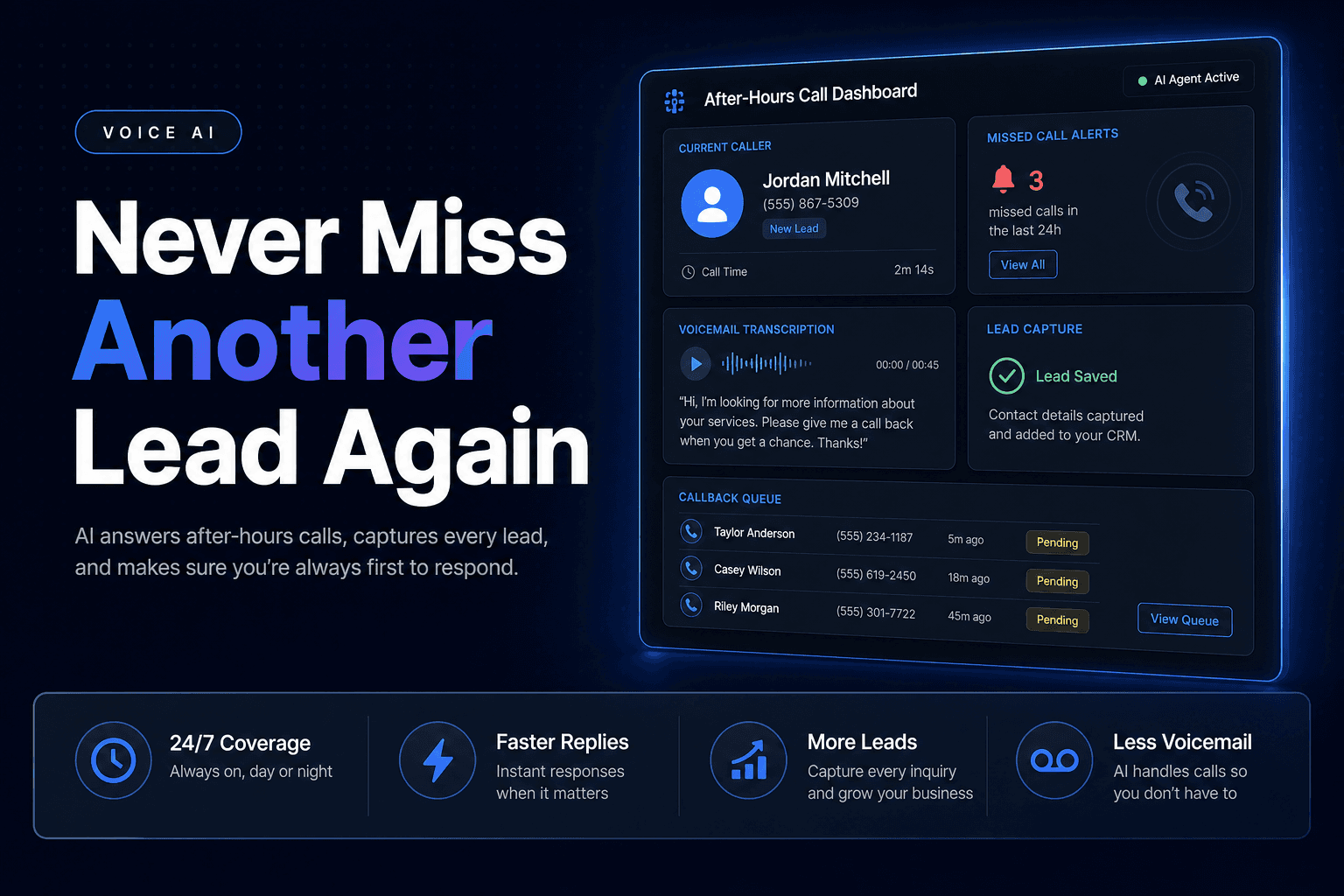
For small businesses, one of the clearest metrics is whether the phone layer recovers revenue from missed or mishandled calls. Maple’s 1.2 million call analysis found businesses missed 33% of incoming calls during peak hours and that AI phone answering resolved 92% of calls without human intervention in its dataset. Different industries will vary, but the lesson holds: measure outcomes tied to money or labor, not just activity.
Practical takeaway: Pick 3 business metrics before launch, one service metric, one revenue metric, and one handoff-quality metric.
7. Skipping the ugly-call testing that reveals the real failure modes
Happy-path demos are where bad deployments go to feel good about themselves.
What actually exposes a weak inbound Voice AI system is testing the calls your team secretly dreads: noisy callers, strong accents, speech impairments, interruptions, repeated questions, partial information, and requests that combine two intents at once. Research published on April 18, 2026 in AI & Society’s review of ASR failure patterns highlights how voice systems can fail unevenly across speech impairments and underrepresented speech patterns, which is a serious reminder that “worked in testing” can hide real exclusion problems.
This is also where security and compliance checks belong. If your system handles sensitive account actions, you should test verification logic, transcript storage, and abuse cases before a live caller does it for you.
We usually recommend a pre-launch scorecard with at least these scenarios:
- background noise
- caller interruption
- intent switch mid-call
- low-confidence recognition
- transfer with context
- failed authentication
- repeat caller with existing CRM record
If you want a broader warning list before rollout, 10 common mistakes small businesses make when integrating AI covers the operational messes that tend to show up after the demo glow wears off.
Practical takeaway: Do not launch until the system passes adversarial test calls, not just friendly ones.
Free tool
What is slow follow-up actually costing you?
Set your lead volume, deal value, and response time. Our Lost Revenue Calculator shows the monthly and annual leak in real time, then breaks it down by speed vs. persistence so you know where to fix first.
Run the free calculatorThe Bottom Line
Voice AI for inbound calls works best when it is treated like an operations system, not a novelty phone voice. The winners are not the teams with the flashiest demo. They are the ones that scope narrow use cases, connect the right systems, measure real outcomes, and hand off cleanly when confidence drops.
If you want help designing a Voice AI workflow that actually qualifies callers, routes requests, updates your CRM, and avoids the usual deployment mistakes, AI-Automated builds practical AI Automation systems for exactly that. We help teams turn inbound calls into structured workflows, not expensive voicemail with better branding.