10 AI Agent Uses for Inbound Lead Follow-Up
Manual inbound follow-up breaks in predictable places. The form fill comes in after hours. The rep is in a meeting. The CRM record is half-empty. By the time someone replies, the lead has already booked with a competitor or gone cold.
That’s why AI Agents are becoming useful in follow-up, not because they replace sales teams, but because they handle the repetitive work that slows good teams down: routing, enrichment, first response, scheduling, reminders, and CRM updates. And the timing matters. In G2’s 2025 sales research, 15% of buyers said vendor responsiveness and support was one of the top factors in their final software selection, behind only pricing and security/compliance. (learn.g2.com)
In practice, the win isn’t “more automation.” It’s a cleaner handoff from inbound interest to real conversation. Done well, AI Automation helps teams respond faster, qualify better, and keep the pipeline moving without hiring just to chase follow-up tasks. If you want the full playbook beyond these ten agent use cases, start with our guide on how to automate lead follow-up.
1. Reply to new inbound leads in minutes, not hours
The first job of an AI agent is simple: don’t let a fresh lead sit untouched.
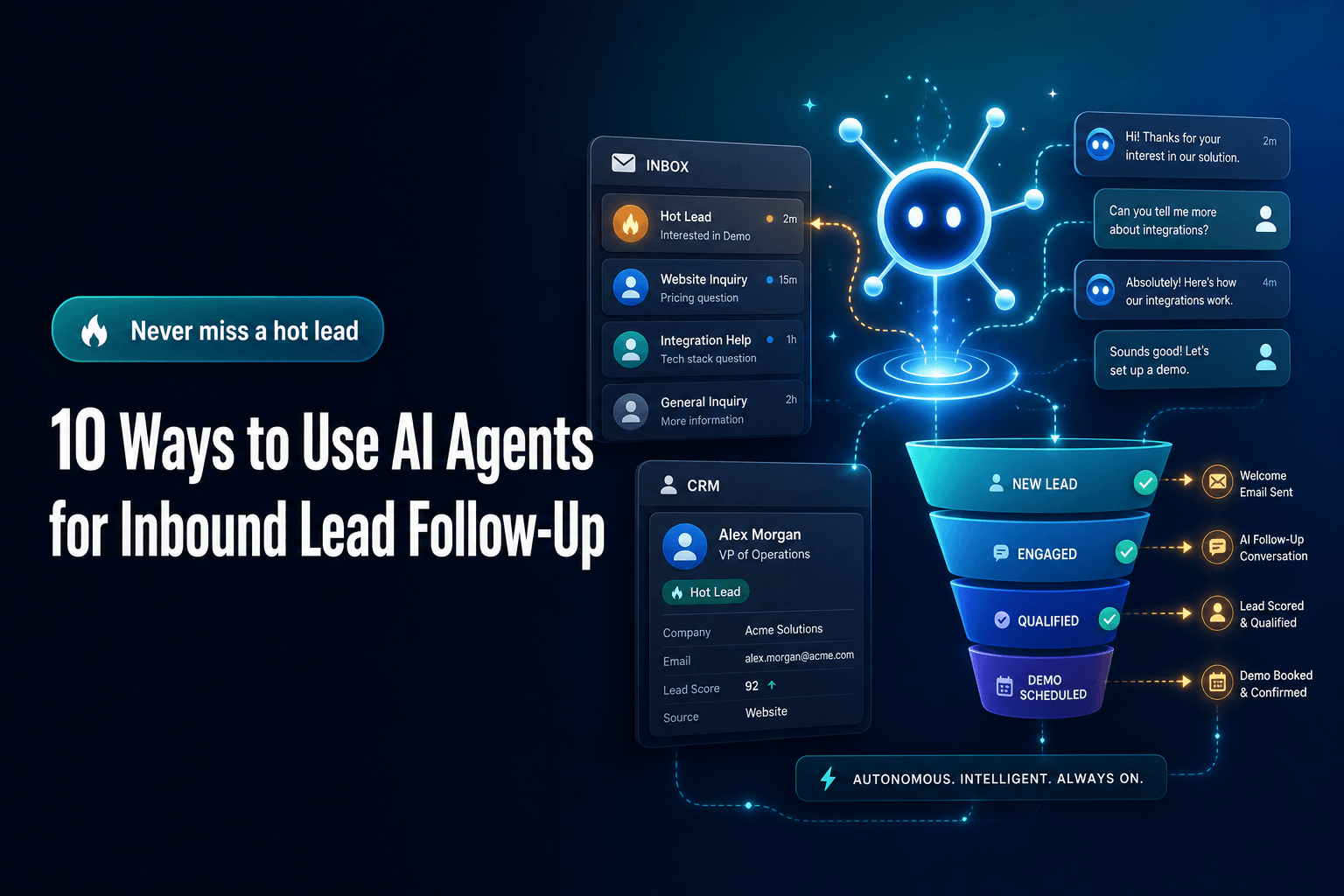
When a prospect fills out a form, requests a demo, or replies to an ad, the agent can send an immediate, context-aware response, confirm what they asked about, and offer the next step. That sounds basic, but it fixes one of the biggest operational gaps in inbound. Buyers notice responsiveness. G2 found that vendor responsiveness and support influenced 15% of final software selections in its 2025 survey. (learn.g2.com)
We’ve found the best version of this is not a generic “Thanks, someone will be in touch.” It’s a response that reflects the page they converted on, the service they asked about, and the likely next question. A real estate team, for example, can send different follow-ups for “book a valuation” versus “schedule a showing,” even if both hit the same inbox.
The practical takeaway: use an AI agent to trigger the first response instantly, but make the message specific to source, offer, and intent. Speed matters, but relevance is what gets the reply.
2. Don’t send every lead to sales right away
This is where teams usually get it wrong.
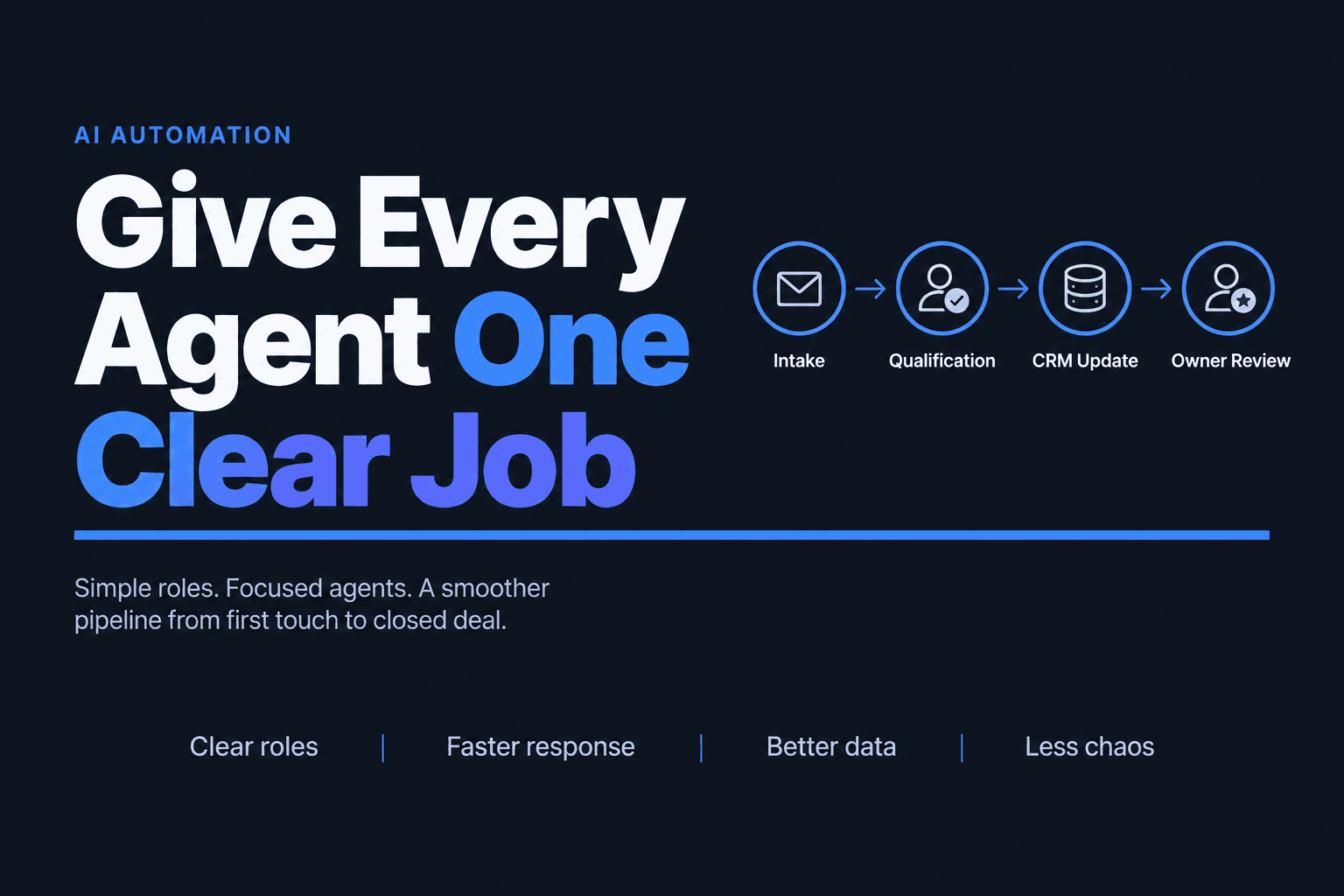
A lot of inbound workflows assume every form fill deserves the same treatment: assign rep, send email, hope for a meeting. In reality, that creates clutter for the team and friction for the buyer. An AI agent can do lead qualification before a human gets involved by checking firmographic data, enrichment fields, form answers, and behavior signals to decide what should happen next.
That’s the more useful pattern:
High-fit + high-intent -> route to sales now
High-fit + low-intent -> nurture with relevant content
Low-fit + unclear -> ask one clarifying question
Spam / junk / student / vendor -> suppress or tag
This matters because bad outreach does damage. Gartner reported in June 2025 that 73% of B2B buyers actively avoid suppliers who send irrelevant outreach. (gartner.com)
So yes, automate follow-up. But don’t automate indiscriminate follow-up. The better move is to let the agent qualify first, then decide whether the right next step is a rep, a nurture sequence, or a short clarifying exchange.
3. Enrich the lead record before a rep ever opens the CRM
A fast reply is good. A fast reply with context is better.
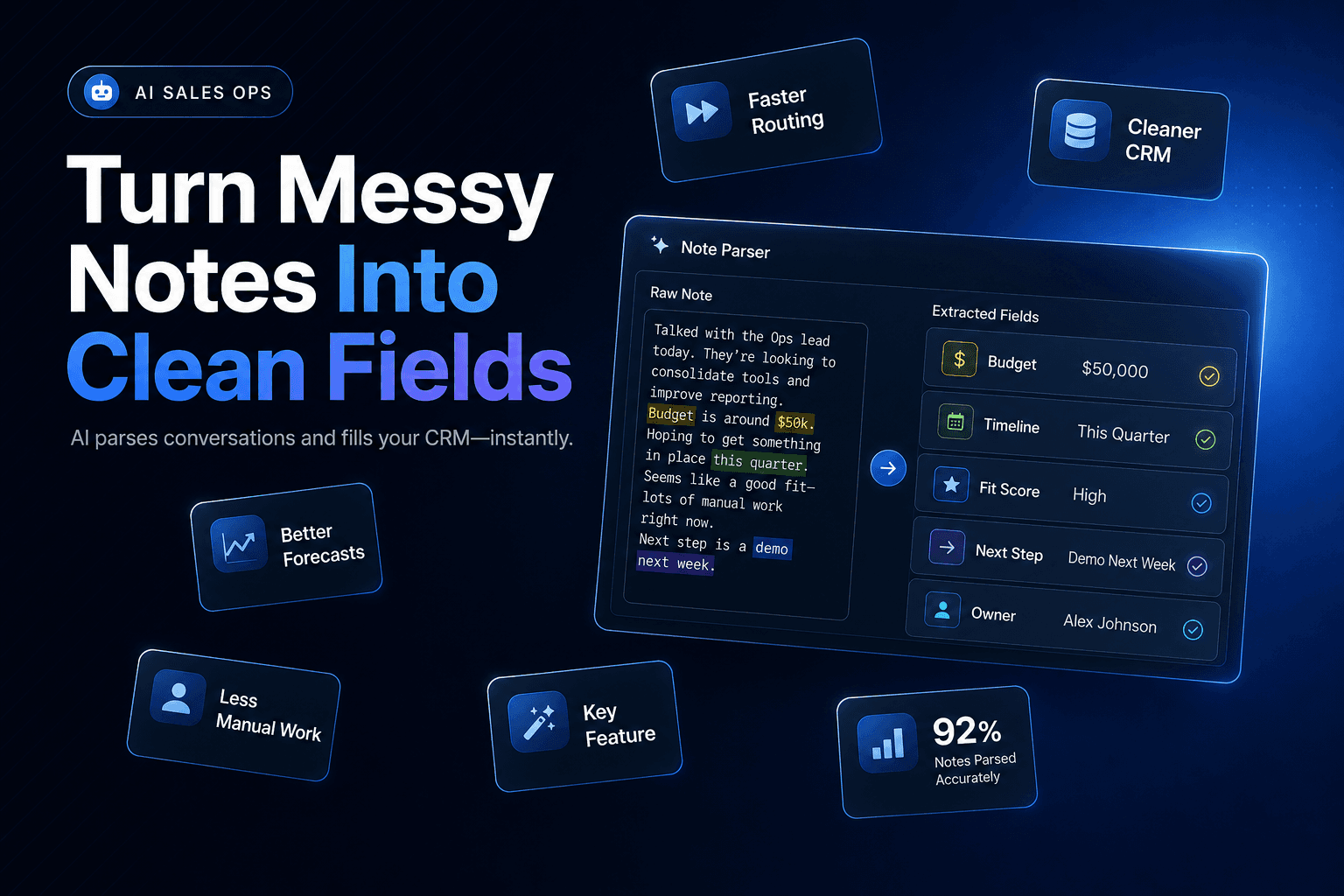
AI agents are especially useful for filling in the gaps that usually slow down inbound follow-up: company size, industry, geography, likely use case, existing CRM history, and whether this account already exists in the pipeline. Instead of making the rep do five minutes of tab-switching before every email, the agent assembles the basics automatically.
This is one of the most practical forms of CRM Automation because it improves both speed and message quality. The rep doesn’t start from a blank record. They start with a usable one.
Here’s what that often looks like in practice:
| Field | Added by agent |
|---|---|
| Company / website | From form + enrichment |
| Industry / size | From public data |
| Source / campaign | From attribution data |
| Fit score | From ICP rules |
| Suggested next step | Based on intent + fit |
For a deeper workflow on research and enrichment before the first touch, see how to automatically research leads using AI agents.
The point isn’t to create a perfect profile. It’s to create enough structure for a better first touch. That also helps avoid the messy CRM problem where one rep writes notes, another skips them, and no one trusts the data later.
4. Personalize follow-up by intent, not just by name
Most “personalized” inbound follow-up is still shallow. It swaps in a first name, company name, maybe a page title, and calls it done.
What actually performs better is intent-based personalization. An AI agent can change the follow-up sequence based on what the lead did: downloaded a pricing guide, spent time on a service page, returned twice in one week, or asked for a specific feature in the form. That leads to outreach that feels more aligned with the buyer’s actual problem.
This matters because personalization is one of the few automation gains buyers can feel immediately. In HubSpot’s 2025 ROI report, 90% of marketers reported increased personalization, and customers using Campaign and Content Assistant saw a 54% higher lead conversion rate than those not using the AI features. (hubspot.com)
For an agency, that could mean different inbound sequences for “SEO help,” “paid ads audit,” and “white-label fulfillment,” even if all three came through the same contact form. Same system, different follow-up logic.
The takeaway: build Workflow Automation around intent buckets, not one universal inbound sequence.
5. Use AI agents to book meetings while interest is still high
The highest-friction moment in inbound follow-up is often not the reply. It’s the scheduling.
A lead says they’re interested. A rep sends two time slots. The lead disappears. Then someone follows up three days later asking, “Still want to connect?” That’s not a sales problem. It’s a workflow problem.
An AI agent can handle this more cleanly by offering booking options immediately, checking rep ownership rules, routing by territory or service line, and confirming the meeting without manual back-and-forth. For higher-volume teams, this is often the fastest way to improve conversion without changing the offer at all.
We’ve found this works especially well for operations-heavy businesses where different inbound requests need different destinations. A plumbing company might send emergency service calls to dispatch, estimate requests to inside sales, and partnership inquiries to the office manager. The lead shouldn’t have to figure that out.
The practical fix is straightforward: if the inbound action signals readiness, let the AI agent move directly from first response to scheduling. Don’t make humans coordinate what software can coordinate in seconds.
6. Add Voice AI for leads who don’t answer email
Some inbound leads will never reply to email, even if they’re a good fit. That’s why Voice AI belongs in the follow-up stack for certain businesses.
For local services, real estate teams, and fast-moving B2C or hybrid sales environments, a voice-based agent can call new leads, confirm what they need, answer a narrow set of questions, and either book the appointment or escalate to a human. It’s not right for every brand, but in the right context it compresses the time between inquiry and conversation dramatically.
This works best when the call has a narrow job:
- confirm the request
- collect one or two missing details
- offer appointment times
- hand off hot leads to a person
Where teams go wrong is trying to make the voice agent sound like a full closer. That usually creates awkward calls and low trust. Keep the scope tight.
If your inbound pipeline includes leads who convert on mobile, request callbacks, or come in after hours, voice follow-up is worth testing. In those cases, AI Agents can extend your response coverage without forcing a rep to be on call.
7. Keep the nurture sequence adaptive instead of fixed
A fixed 7-email sequence is easy to build and easy to ignore.
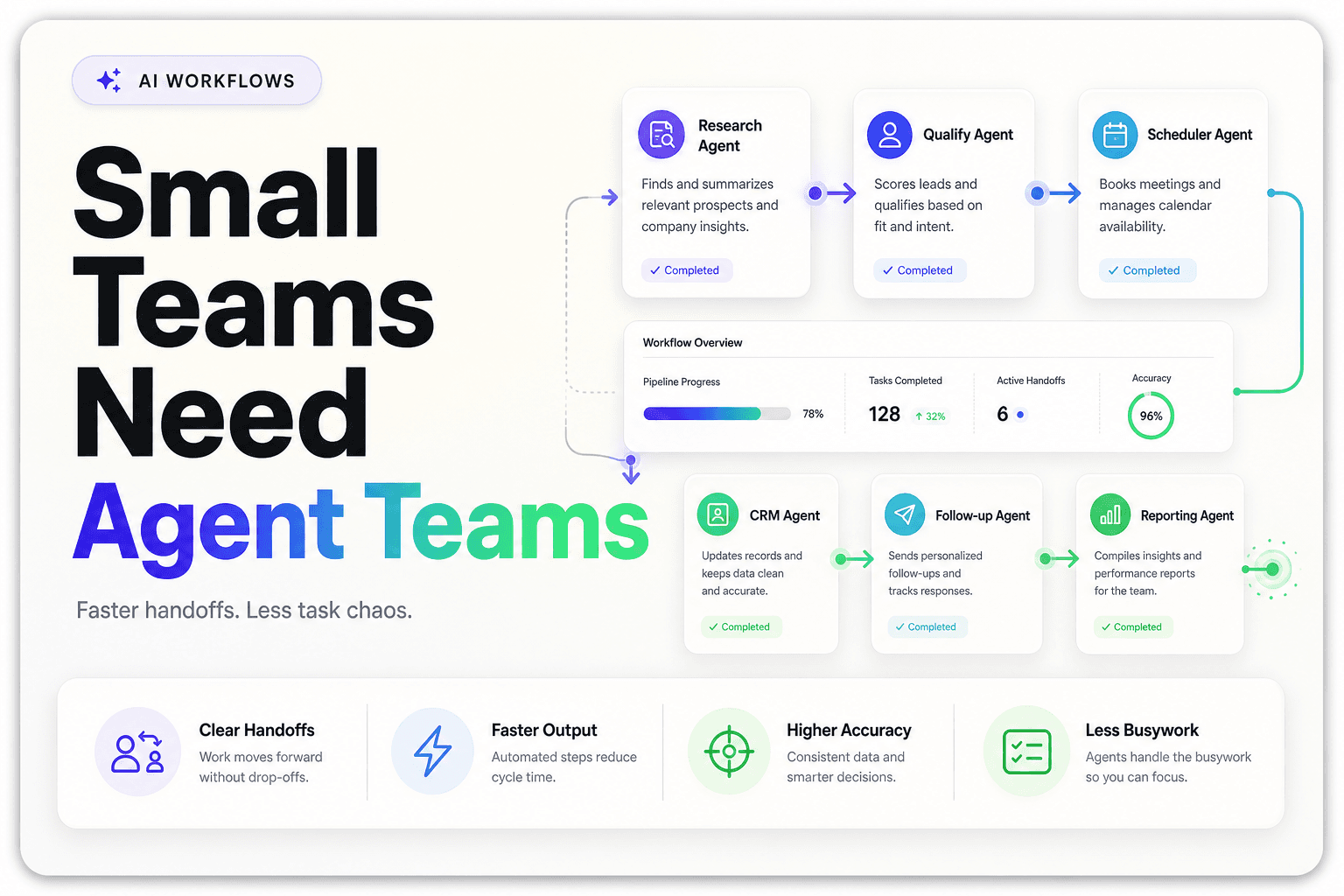
AI agents can make nurture follow-up more useful by adjusting based on behavior. If the lead clicks pricing, move them forward. If they ignore sales messaging but engage with case studies, change the angle. If they go quiet for two weeks and then revisit the site, restart with a more direct CTA. That’s where Multi-agent Systems can help: one agent monitors engagement, another updates CRM status, and another decides which message should go out next.
This is also where teams start to see scale benefits. McKinsey’s 2025 global AI survey found that 23% of organizations were already scaling agentic AI somewhere in the business, while another 39% were experimenting with AI agents. (mckinsey.com) That doesn’t prove your nurture flow will work, but it does show serious teams are moving past static automation toward adaptive workflows.
The practical takeaway: don’t think of nurture as a fixed drip. Think of it as a decision tree that changes when the lead changes.
8. Use the agent to keep the CRM clean while follow-up happens
A follow-up system is only as good as the data it leaves behind.
One of the least glamorous but highest-value uses of AI agents is updating lifecycle stage, contact status, next step, meeting outcome, and lead notes automatically as the sequence runs. That saves reps from manual admin and makes reporting more trustworthy.
This matters more than most teams admit. Salesloft’s 2025 Sales Skills Gap Survey found that 40% of sellers frequently deviate from the sales process, and only 20% of managers believe deals follow a repeatable process. (salesloft.com) Inbound follow-up falls apart fast when CRM hygiene depends on everyone remembering to update every field.
A good agent can log:
- when the first response was sent
- whether the lead replied
- whether a meeting link was clicked
- current qualification status
- whether a human follow-up is now required
That’s how CRM Automation becomes operational, not cosmetic. The system stays current without nagging the team to “please update Salesforce.” For more on data entry, routing, and reporting workflows, see optimize your CRM with AI automation.
9. Warning: more AI messages can make follow-up worse
Here’s the contrarian point: adding more automation often lowers quality.
What actually goes wrong is that teams build a machine that sends too many messages, too quickly, with too little context. Buyers feel it immediately. Gartner’s 2025 survey found that 69% of B2B buyers report inconsistencies between a company’s website and what sellers tell them, which is exactly the kind of trust gap sloppy automation creates. (gartner.com)
We’ve seen this happen when marketing pages say one thing, the AI email says another, and the rep jumps in with a third angle. The problem isn’t the agent. It’s the system design.
The fix is boring, which is why it works:
- use one source of truth for offers and positioning
- limit branching logic early
- suppress messages after meaningful replies
- review edge cases weekly
- escalate uncertainty instead of faking confidence
Over-automation is real. Some leads need a human touch. The best inbound systems use agents to remove friction, not to flood the buyer with automated noise.
10. Measure follow-up like an operations system, not a marketing campaign
If you only track opens and clicks, you’ll miss the point.
Inbound follow-up should be measured as an end-to-end operating system: speed to first response, meeting rate, qualification rate, pipeline creation, and time-to-stage movement. Those metrics tell you whether the AI agent is helping the business move faster, not just whether a subject line got attention.
We usually recommend a compact scorecard:
Time to first response
Reply rate
Meeting booked rate
Qualified lead rate
Lead-to-opportunity conversion
Lead velocity by source
This is where teams start improving instead of just automating. If paid search leads reply fast but rarely qualify, your agent may need better screening. If organic demo requests book well but stall later, the issue may be handoff quality. If after-hours forms convert unusually well, that’s a strong signal your automation is covering a real gap.
The real goal is not “use more AI.” It’s to build a follow-up process that gets the right lead to the right next step with less delay and less manual work.
The Bottom Line
Inbound lead follow-up is one of the best places to apply AI Automation because the gaps are so predictable: slow response, weak qualification, messy handoffs, and inconsistent CRM updates. AI agents can fix those problems if you use them for practical jobs like fast replies, lead qualification, scheduling, routing, and record updates, instead of treating them like a magic sales replacement.
The teams getting results are usually the ones with the clearest workflows, not the flashiest demos.
If you want to build AI Agents, Voice AI, or Workflow Automation that actually fits your sales process, AI-Automated helps businesses design and deploy systems that respond faster, qualify better, and move leads through the pipeline without adding headcount. Book a consultation and we’ll map out the highest-impact follow-up workflow for your team.